
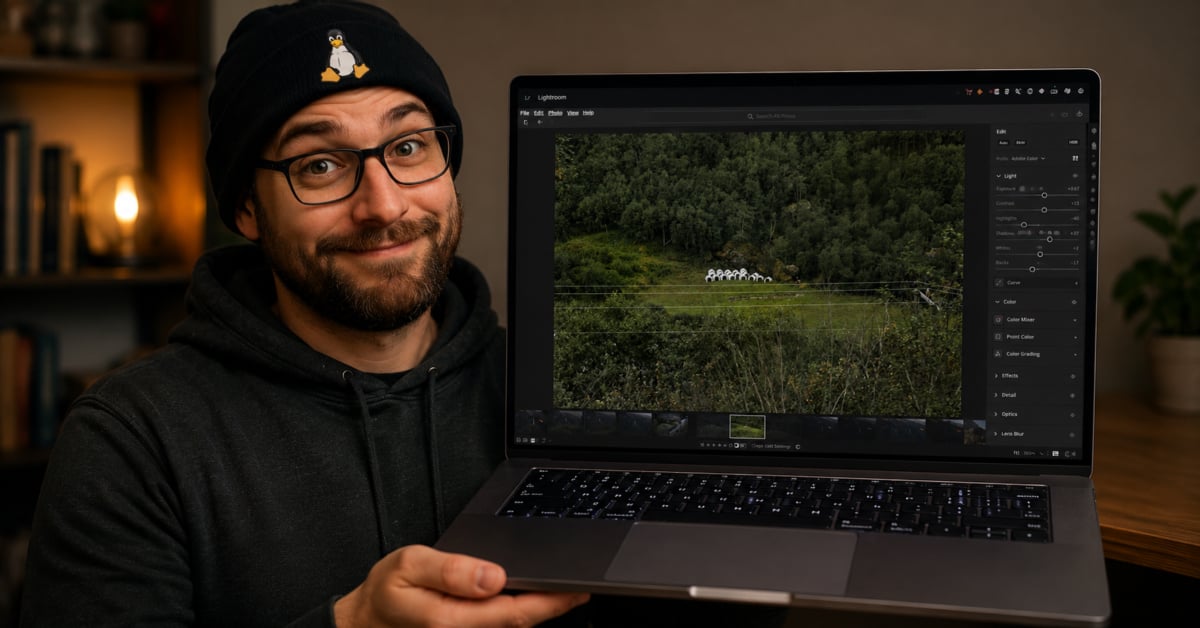
Adobe Lightroom CC running on Linux used to sound ridiculous. Not impossible, exactly, but the kind of project Linux users talk about for years without anybody fully pulling it off.
Now somebody apparently has.
A new GitHub project called lightroom-cc-on-linux documents how to get Adobe’s cloud syncing Lightroom CC app running through Wine, without a Windows virtual machine or dual boot setup. And unlike a lot of “it technically launches” Linux compatibility stories, this one actually looks usable.
This is not Lightroom Classic, folks. It is the newer cloud focused Lightroom desktop app. According to the repository, it is working as of May 16, 2026, with Wine 11.8 staging and Lightroom CC 9.3.1.
SEE ALSO: Debian 13.5 reminds Linux users why boring distributions still win
That matters because Adobe still does not properly support Linux users. Creative professionals who prefer Linux have spent years jumping through hoops, keeping an old Mac around, or just giving up and using alternatives like Darktable or RawTherapee. Some folks love those apps. Others just want Lightroom.
The setup process is definitely not for casual users. You need a modern 64-bit Linux distro, Wine staging, Vulkan drivers, winetricks, mingw-w64, build tools, and around 10GB of free space. You also still need a paid Adobe subscription, which honestly feels a little funny considering the amount of effort required just to make the software behave.
But the impressive part is how much actually works.
According to the repo, the Creative Cloud desktop app can sign in, show the apps panel, and install Adobe apps from the catalog. Lightroom CC launches, syncs the cloud photo library, and renders the full Edit module with controls for Light, Color, Effects, Detail, Optics, and Geometry.
Even the Remove and Heal tool reportedly works now. That required patching Media Foundation components, which is exactly the sort of maddening Linux compatibility issue that sends normal people running back to Windows.
Honestly, this is where Linux users tend to shine, though. Give stubborn nerds an unsupported proprietary app and enough time, and eventually somebody figures it out.
The repo goes deep into the technical weeds too. We are talking patched d2d1.dll files, patched mfplat.dll files, DXVK dummy composition swapchains for WebView2 rendering, disabled AdobeGrowthSDK.dll components, stub DLLs, and symlink tricks because Wine’s PE loader is case sensitive.
One especially annoying issue involved Adobe shipping its own mfplat.dll inside the Lightroom install directory. That meant the patched Wine version was getting ignored entirely because Windows DLL search order prioritizes the application directory first. The fix was copying the patched DLL into both locations.
That is such a classic Linux compatibility nightmare. One tiny detail wastes hours.
And then there is the AI angle.
The repository claims Claude Opus 4.7, running through Claude Code, autonomously handled most of the debugging process. According to the documentation, the AI analyzed crash dumps, inspected binaries, patched DLLs, took screenshots, detected UI elements algorithmically, controlled the mouse with xdotool, verified whether crashes occurred, and documented the process along the way.
The human behind the project mostly set the goal, supplied the Adobe account, answered occasional questions, and reviewed the work.
I know AI companies keep pushing “agentic coding” stories lately, but this is one of the first examples I have seen that actually feels tangible instead of marketing fluff. If the documentation is accurate, this was not just AI generating boilerplate scripts. It was repeatedly troubleshooting a messy real-world compatibility problem over multiple debugging sessions.
That is pretty wild.
To be clear, this does not mean Lightroom CC suddenly became a native Linux app. It also does not mean regular people should expect a polished experience. The repo still warns about crashing dialogs and imperfect GPU accelerated features.
And honestly? Most photographers are probably still better off using Windows or macOS if Lightroom is central to their workflow.
But this project still matters. Linux users have been told for years that certain professional apps simply would never work properly outside Microsoft or Apple ecosystems. Yet here we are again watching the community chip away at another wall anyway.
That is one reason Linux remains interesting after all these years.
Support independent tech journalism
NERDS.xyz is independently owned and operated. If you enjoy my coverage of Linux, AI, hardware, cybersecurity, and tech culture, consider supporting the site on Ko-fi.
Support NERDS.xyz