ORICO is entering the laptop business today with the Obook15, a Windows 11 Home machine that combines AMD Ryzen hardware, expandable storage, and its own AI assistant. Prices start at $689.99, with the United States and the Philippines serving as the initial markets.
I’m a huge fan of ORICO, having bought countless accessories from the company over the years. I love the affordability and dependability of its products, so seeing it build a complete computer certainly gets my attention. That experience gives me a reason to be interested, although a laptop is a much bigger test than an accessory.
The Obook15 uses an AMD Ryzen 7 6800H processor with eight cores and 16 threads, paired with Radeon 680M integrated graphics. Configurations include either 12GB or 24GB of LPDDR5 memory and a PCIe 3.0 SSD with capacities ranging from 256GB to 1TB. ORICO is targeting students, professionals, and users doing light creative work.
Given the company’s storage background, I’m particularly pleased to see two M.2 2280 NVMe SSD slots. Owners can install a second drive alongside the supplied SSD, giving them room for more applications, projects, and media without replacing their existing storage. The expansion slot supports PCIe 4.0, and ORICO lists storage expansion up to 4TB.
The 15.6-inch IPS display has a 1920 × 1080 resolution, a 60Hz refresh rate, and a matte finish. That is a fairly basic panel on paper, but an anti-glare surface is welcome for everyday work. The hinge opens to approximately 180 degrees, while the backlit keyboard includes a numeric keypad for entering figures and working in spreadsheets.
Both USB-C ports support 10Gbps data transfers, DisplayPort 1.4, and USB Power Delivery 3.0. The laptop also includes HDMI 2.0, a 3.5mm headset jack, and a dedicated DC power input. Using that charging connection leaves both USB-C ports available for peripherals.
Pay attention to the USB-A ports, though, because they have different speeds. One supports 5Gbps, while the other tops out at 480Mbps. That slower connection should be fine for a mouse, but it would be a poor choice for transferring a large collection of files to an external SSD. Wireless connectivity includes Wi-Fi 6 and Bluetooth 5.2.
ORICO supplies a 100W power adapter for the 54.29Wh battery, although battery capacity alone does not tell us how long the machine will run between charges. Cooling comes from two fans and two heat pipes, with FN+Q providing access to performance modes. The chassis combines aluminum alloy and plastic, weighs approximately 1.8kg, and measures 19.35mm thick.
A physical shutter covers the HD webcam, which is a small feature I always appreciate. Dual microphones and stereo speakers round out the basics for calls and everyday media use.
The AI portion comes from ORICO’s XiaoAo AI Super Agent. The company says it includes 11 specialized AI experts, with advertised functions covering remote device control, workflow automation, and knowledge base management. Those capabilities could be useful, but I would want a clear understanding of permissions and data handling before giving an assistant access to my computer.
For me, the appeal here starts with the hardware and the company behind it. Whether the assistant deserves a place in someone’s daily routine will depend on how accurately it performs tasks and how much supervision it needs.
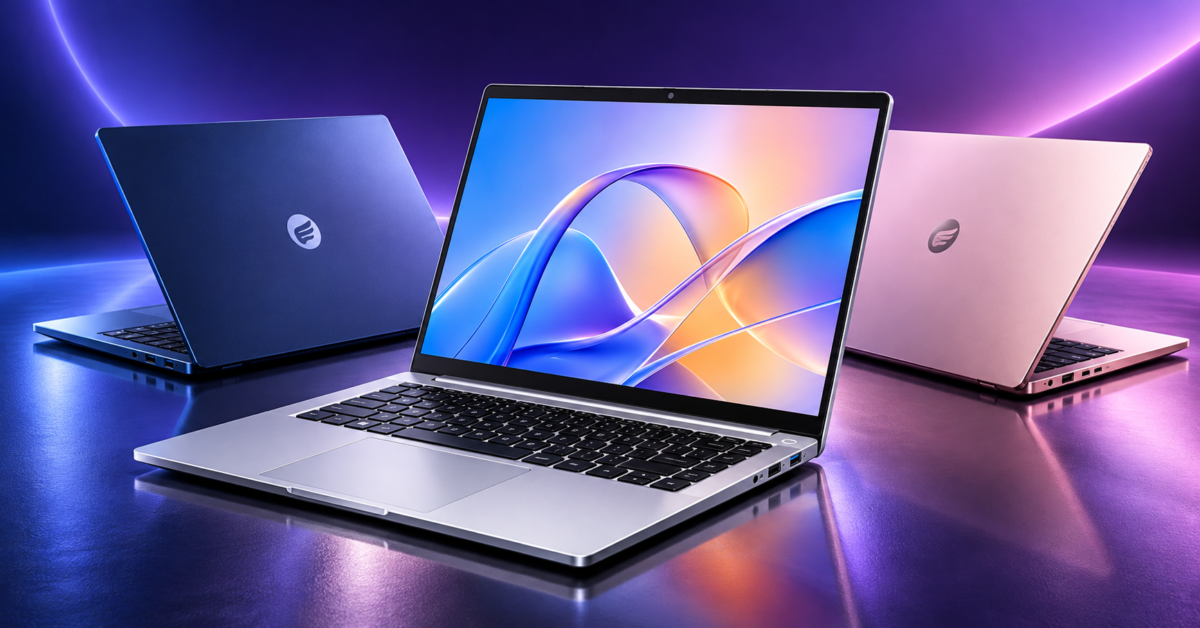
ORICO offers the following configurations, with silver, pink, and blue color options:
| Memory | Included SSD | MSRP |
| 12GB | 256GB | $689.99 |
| 12GB | 512GB | $749.99 |
| 24GB | 1TB | $899.99 |
The top configuration doubles the memory and includes considerably more storage than the base model, making it the version I would be most interested in trying. Availability will vary by market and sales channel, with additional details on ORICO’s Obook15 product page.
My experience with ORICO accessories gives me some optimism about the Obook15. Still, keyboard comfort, display quality, fan noise, and battery life will determine whether it earns the same trust. I’m interested in finding out whether the affordability and dependability that keep me buying its accessories carry over to its first laptop.
Support independent tech journalism
NERDS.xyz is independently owned and operated. If you enjoy my coverage of Linux, AI, hardware, cybersecurity, and tech culture, consider supporting the site on Ko-fi.
Support NERDS.xyz