
Cloud-based AI is convenient, but it comes with tradeoffs. Your prompts may leave your computer, subscriptions can pile up, and usage limits can make even simple experiments feel expensive.
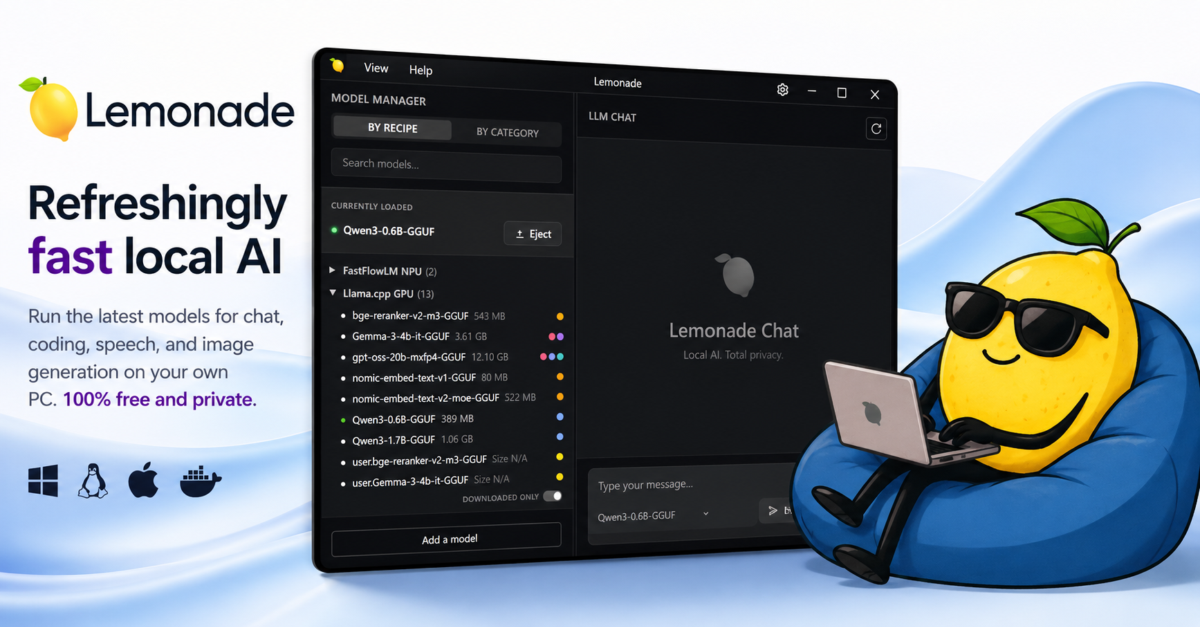
Lemonade takes a different approach. The open source software turns a PC into a local AI server, allowing users to run models for chat, coding, speech, image generation, and more on their own hardware.
Now, Lemonade 11 is expanding that idea with experimental 3D generation, voice cloning, improved model routing, and support for another major model repository.
The project is maintained by the community and sponsored by AMD. As expected, there is a strong focus on Ryzen AI processors, Radeon graphics, and Strix Halo systems. Lemonade is not restricted to AMD hardware, though. It can also work with NVIDIA GPUs, Apple Silicon, standard processors, and several Linux configurations, depending on the selected model and backend.
The biggest addition in Lemonade 11 is a new 3D-generation mode based on the Trellis.2 image-to-3D pipeline.
Users can provide an image and generate a 3D object through a new API endpoint. The Lemonade desktop app also gains a dedicated 3D panel with a built-in model viewer, so the result can be inspected without immediately moving it into another program.
That sounds like a lot of fun, but this is still an experimental feature. Generating 3D assets locally can demand a powerful graphics card and plenty of memory. Compatibility will also vary based on the operating system and hardware.
Lemonade currently lists support for compatible AMD and NVIDIA GPUs, along with Vulkan-capable hardware, on Windows and Linux. Apple Silicon is not listed for this particular feature.
Voice cloning is another notable addition.
Lemonade 11 introduces the OpenMOSS text-to-speech backend, including models for voice cloning and voice design. A dedicated TTS panel is included in the desktop interface, making the feature easier to use without relying entirely on command-line instructions.
Running voice cloning locally has an obvious privacy benefit. You do not need to upload sensitive recordings to a random website or cloud service. Of course, keeping the processing private does not remove the risks of misuse. Voice cloning can still be used for scams, impersonation, and other unpleasant behavior.
Lemonade can function as a local server that works with OpenAI-compatible software. Applications can connect to it through a local API rather than sending requests to a cloud provider.
The project also supports Anthropic and Ollama-style interfaces, opening the door to tools such as Claude Code, Open WebUI, AnythingLLM, OpenHands, Dify, n8n, and other compatible applications.
Developers have another option called Embeddable Lemonade. This is a portable binary that can be bundled directly into an application, giving users local AI capabilities without requiring them to separately install or configure the Lemonade software.
According to the project, the embedded version can operate without Lemonade branding or telemetry. That could make it particularly interesting for developers who want to add local AI features without building an inference system from scratch.
Version 11 also adds smarter model routing.
Applications can request a router model rather than selecting a specific model every time. Lemonade then chooses an appropriate option and reports which route it selected. This could make it easier to maintain several local models for different jobs, such as coding, general chat, and summarization.
ModelScope is now supported as a second remote model registry alongside Hugging Face. Users can choose where to obtain models through the command line, API, or desktop application.
The FastFlowLM NPU backend also gains automatic installation on Linux. Previously, users had to manually install a required system package. That may sound like a small improvement, but removing setup steps matters when local AI software already has enough hardware and compatibility variables to deal with.
Linux support is one of Lemonades more appealing qualities.
The project provides installation options for Fedora 43 and newer, Ubuntu 24.04 and newer, Debian 13, Arch Linux, Snap, and Docker. Packages are also available for Windows 11 and macOS.
I am especially happy to see official RPM packages for Fedora. Too many projects advertise Linux support when they really mean Ubuntu and nothing else.
Lemonade supports a wide range of engines and workloads, including llama.cpp for text generation, Whisper for transcription, Kokoro for text-to-speech, Stable Diffusion for image creation, and several experimental audio and 3D tools.
The downside is that support can quickly become confusing. One model may run on a CPU, another may need CUDA, and another may only work through ROCm, Vulkan, Metal, or a particular NPU.
The lemonade backends command can show what is actually supported on a specific computer. That is worth checking before downloading several gigabytes of models and expecting everything to work.
Docker users should also pay attention to a breaking change in this release. The container now runs Lemonade as an unprivileged user with UID 10001, and its cache has moved from the root directory to /opt/lemonade/.cache.
Existing Docker volumes may need their ownership changed or may have to be recreated.
Lemonade 11 is not going to replace every cloud AI service overnight. Large models still require substantial memory and storage, performance depends heavily on the hardware, and some of the most interesting features remain experimental.
Still, the direction is compelling. One local server can now handle chat, coding, speech, transcription, image generation, audio, and even basic 3D creation.
For anyone who values privacy, dislikes recurring AI fees, or simply enjoys experimenting with local models, Lemonade 11 is becoming difficult to ignore.
Support independent tech journalism
NERDS.xyz is independently owned and operated. If you enjoy my coverage of Linux, AI, hardware, cybersecurity, and tech culture, consider supporting the site on Ko-fi.
Support NERDS.xyz