
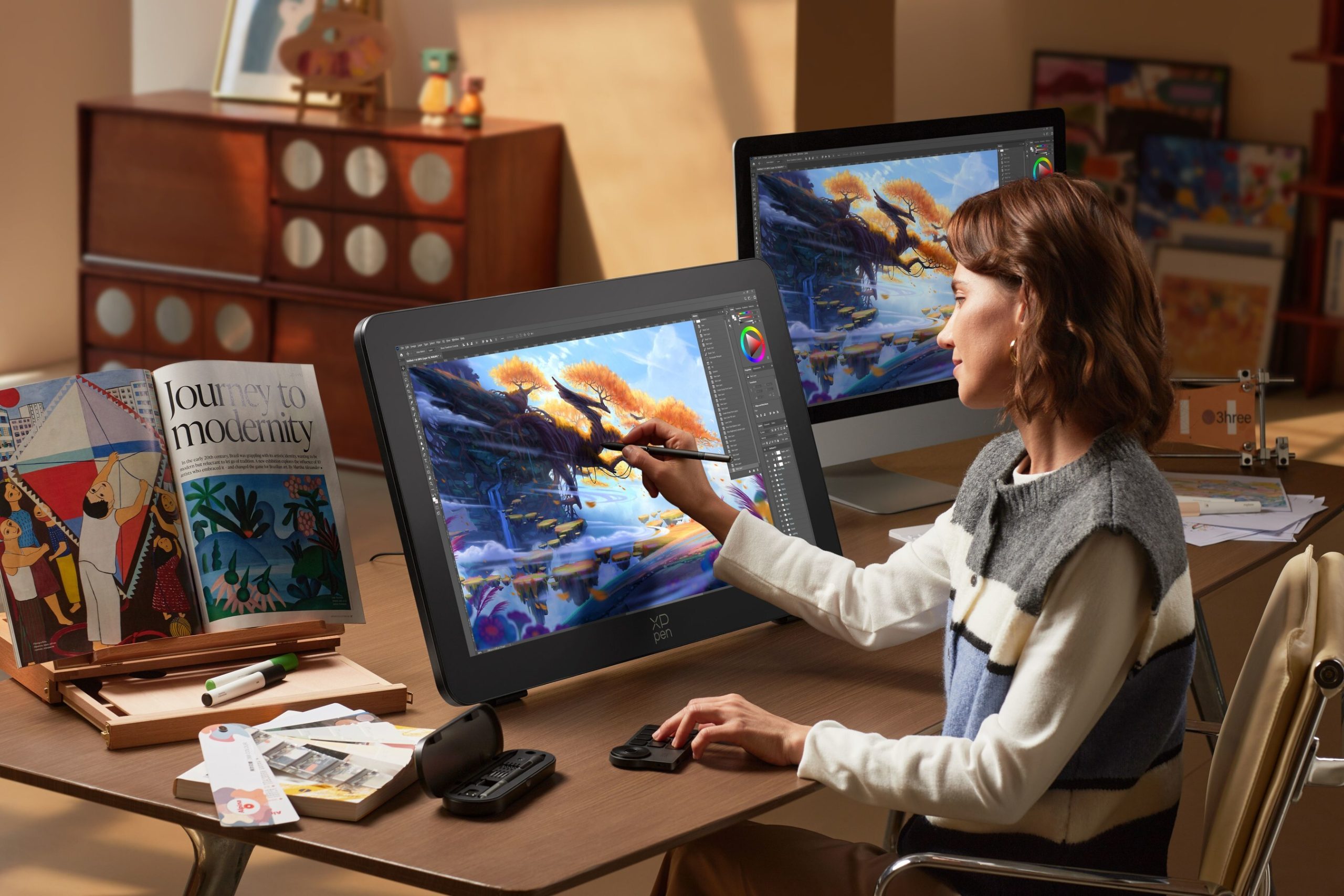
XPPen just announced the Artist Pro 27 Gen 2, and I have to admit, this thing looks pretty cool. It is a big, high-end drawing display clearly aimed at serious creators, but it also feels like XPPen is trying to shake its reputation as the “value alternative” and step into more premium territory.
Right away, the specs jump out. You get a 27-inch panel with 4K resolution and a 120Hz refresh rate, which is not something you see every day in this category. Most pen displays are still stuck at 60Hz, so the idea of smoother strokes and less visible lag is appealing. Whether that actually changes how artists work day to day is another question, but on paper, it is hard not to like.
Color performance is another area where XPPen is clearly trying to win people over. The display supports 1.07 billion colors, with 99 percent Adobe RGB and sRGB coverage, plus 97 percent Display P3. It is factory calibrated with a Delta E of less than 1 and carries Calman verification. That all sounds great, and for artists doing color-sensitive work, it should translate to a more accurate image right out of the box.
Of course, a lot of professionals already have their own calibration tools and workflows, so bundled software like XPPen’s ColorMaster may or may not matter. Still, it is nice that it is there.
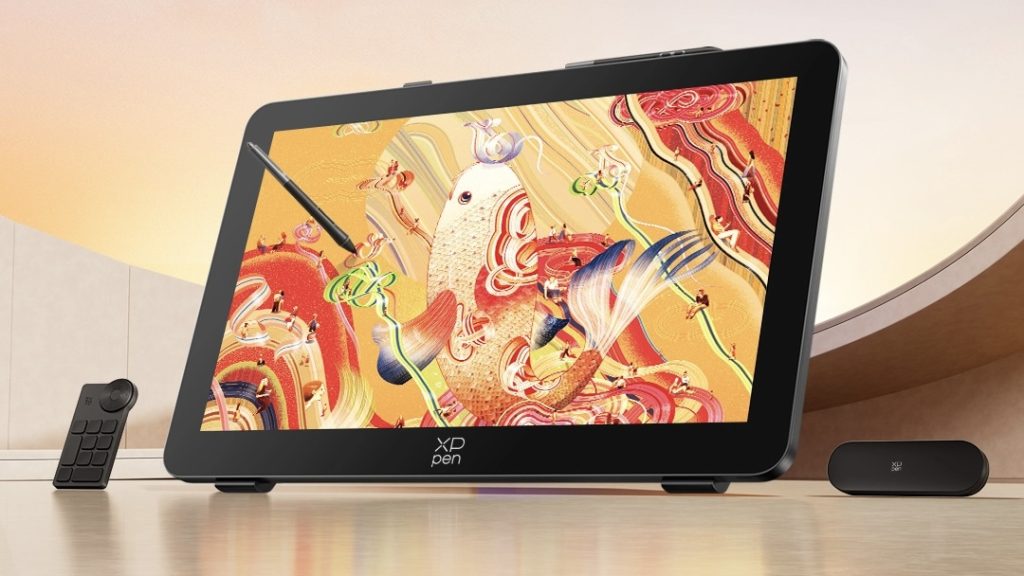
The company is also pushing its X-Touch system, which is basically multi-touch gesture support built into the display. Think pinch-to-zoom, rotation, and navigation directly on the canvas. You can customize gestures and even set areas of the screen to ignore touch input, which is smart because accidental touches can be incredibly annoying.
Touch on drawing displays has always been a bit hit or miss, so I am curious if XPPen actually got this right. Some artists love it, others turn it off immediately.
Then there is the display surface itself. XPPen says it is using a new etched glass that is thinner than before and allows more light through, which should make the image brighter while still feeling like paper. It also helps reduce glare and fingerprints, which, frankly, should just be standard at this point.
Performance-wise, the combination of 120Hz and a 5ms response time sounds promising. If it really cuts down on latency during fast strokes, that could be one of the more meaningful upgrades here. Again, it is one of those things you have to experience to fully judge.
For those who care about the nitty gritty details, here are the full specifications, and honestly, it is a pretty loaded sheet. The unit is officially called the Artist Pro 27 (Gen 2), model MD270UH, and it comes in black. It measures 681.3 x 423.8 x 44.0 mm and weighs 7kg, so this is not something you casually move around your desk. The working area is 596.7 x 335.7 mm, which gives you plenty of room to spread out.
It uses a 26.9-inch LCD panel with a 16:9 aspect ratio and a 3840 x 2160 resolution. Refresh rate is 120Hz, and brightness is rated at 350 nits with a 178-degree viewing angle. The display is fully laminated and supports ten-finger multi-touch, with anti-glare glass and an anti-fingerprint coating.
Color coverage is strong, as mentioned earlier, but it is worth repeating that you are getting 99 percent Adobe RGB and sRGB, plus 97 percent Display P3. Color volume goes even further, with 149 percent sRGB, 110 percent Adobe RGB, and 110 percent Display P3.
The included styluses are the X3 Pro Smart Chip Stylus and X3 Pro Slim Stylus, both using EMR technology. They support 16,384 levels of pressure sensitivity, with a very light 3g initial activation force. Accuracy is rated at plus or minus 0.4mm at the center, with a 10mm reading height and 5080 LPI resolution.
Port selection is solid. You get USB-C, HDMI, DisplayPort, a 3.5mm headphone jack, and a dedicated DC power input. It supports a wide range of platforms, including Windows, macOS, Android, ChromeOS, Windows on ARM, and Linux. That said, touch support on Linux is limited to Ubuntu 20.04 LTS or newer, which is worth keeping in mind.
XPPen is also bundling a lot of extras. In the box, you get both styluses, a pen case with replacement nibs, the ACK05 shortcut remote, a Bluetooth receiver, multiple cables including USB-C, HDMI, and DisplayPort, plus a power adapter. There is also a stand, a glove, a cleaning cloth, and additional nibs, so you are not exactly left needing to buy accessories right away.
One thing I do appreciate is that XPPen is not skimping on compatibility or accessories. It feels like a complete package rather than something you have to build out yourself.
Now, let’s talk about the price. At $1,899 (buy here), this is not cheap. It is still often less expensive than comparable offerings from bigger names, but it is no longer in impulse-buy territory either.
So where do I land on this? Honestly, it seems pretty cool. The combination of high refresh rate, strong color accuracy, and a large canvas is compelling. But at this price, it also feels like something you really need to justify. If you are already using a high-end display, this might not be a must-upgrade situation.
Still, it is nice to see XPPen pushing into this space and not just competing on price alone. More competition at the high end is a good thing for artists, even if this one ends up being a bit of a niche buy.
Support independent tech journalism
NERDS.xyz is independently owned and operated. If you enjoy my coverage of Linux, AI, hardware, cybersecurity, and tech culture, consider supporting the site on Ko-fi.
Support NERDS.xyz