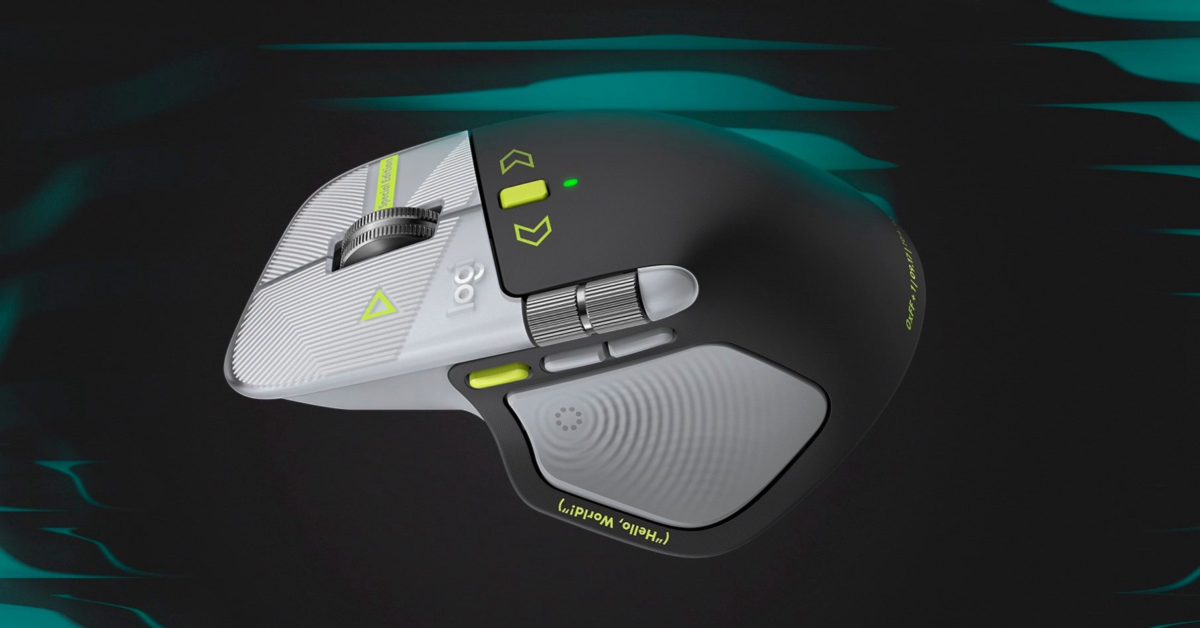
Sometimes a new coat of paint is enough. Logitech’s MX Master 4 Developer Edition is essentially the same MX Master 4 with a different look, but when that look is this awesome and pays respect to Linux and developers, I am absolutely here for it.
Not every product release needs to reinvent something. There is nothing wrong with taking a useful piece of hardware and giving it more personality, especially when the details show an understanding of the people who might buy it.
The Developer Edition combines a dark body with light gray sections, white line patterns, and bright yellow-green accents. Programming references decorate the exterior, including syntax annotations, markup tags, and a Hello World prompt. “Special Edition” branding appears on the right mouse button, while the metallic scroll wheels complement the design.
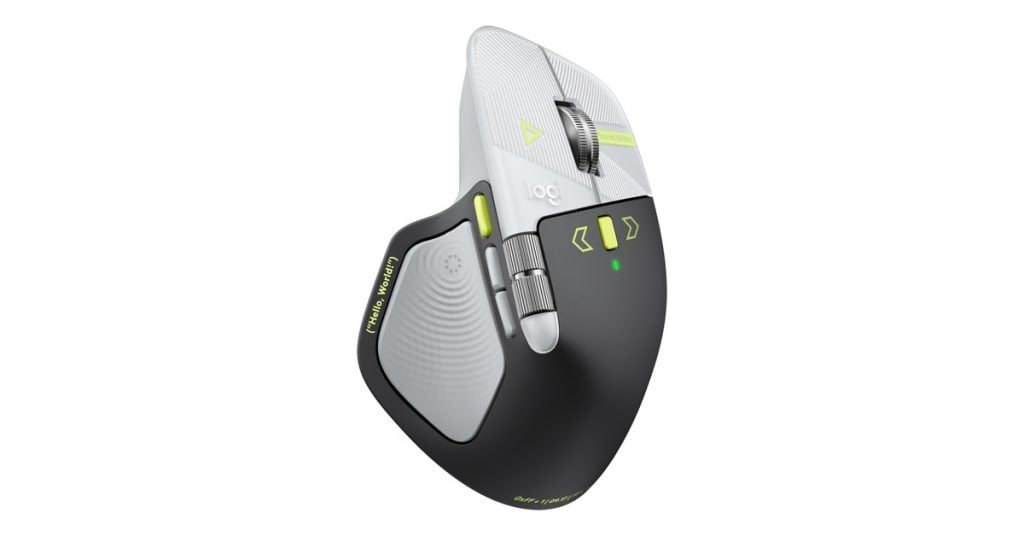
That Hello World inscription is a familiar greeting for anyone who has learned to code. A simple program that prints “Hello, World!” is traditionally one of the first exercises when learning a programming language. It is a fitting little reference for a mouse aimed at developers.
The more interesting Easter eggs sit near the bottom of the palm area. Logitech includes “0xFF + 1,” “09.17,” and “!04.01,” and each marking has a specific meaning.
First up, “0xFF + 1” is a hexadecimal expression. The “0x” prefix identifies a number as hexadecimal, or base 16, and “FF” equals 255 in our everyday decimal system. Add one and you get 256, a number that should feel familiar to programmers because eight bits can represent 256 different values.
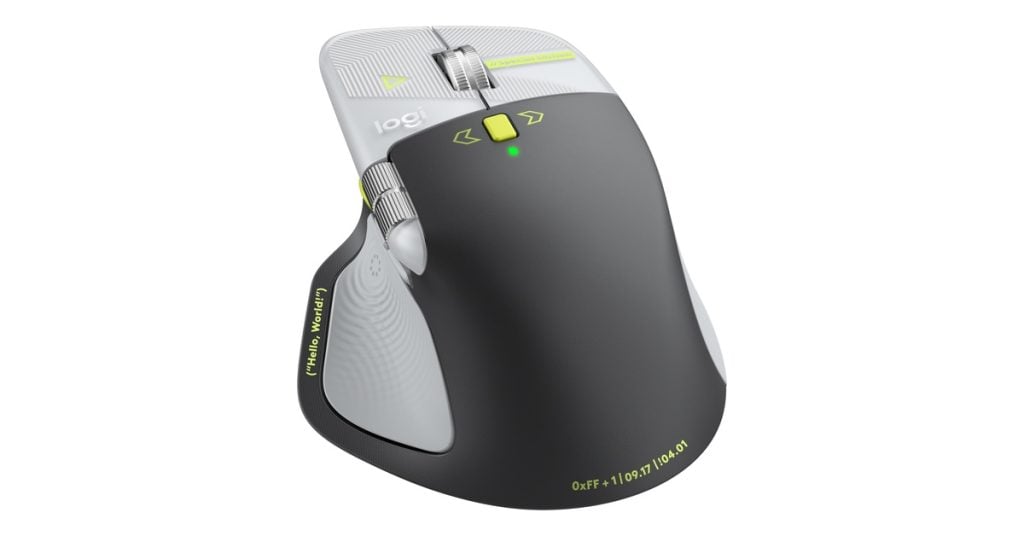
That calculation points to Programmers’ Day, which falls on the 256th day of the year. That means September 13 in a normal year and September 12 in a leap year. Rather than simply printing the holiday’s name, Logitech gives you a tiny bit of math to decode.
Next comes “09.17,” and this is the one that makes the Linux nerd in me smile. It represents September 17, the date in 1991 when Linus Torvalds released Linux kernel version 0.01. Logitech is acknowledging the beginning of a software project that would become enormously influential, and I love seeing that history recognized on the mouse itself.
Then there is “!04.01,” which takes a little more interpretation. In many programming languages, the exclamation point means logical NOT, so the inscription playfully reads as “not April 1.” Logitech identifies this as a reference to World Backup Day, which takes place on March 31, the day before April Fools’ Day.
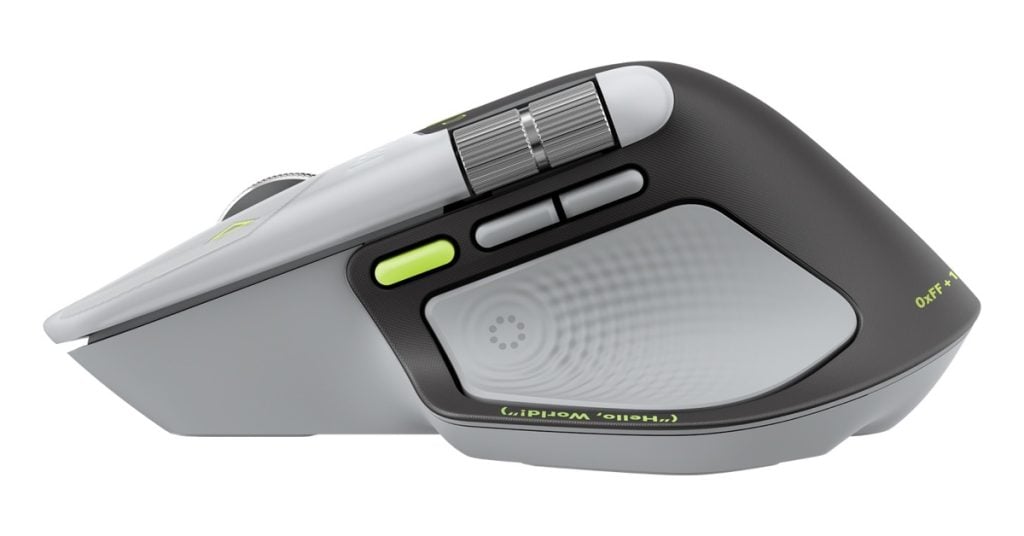
To be precise, “not April 1” does not literally calculate to March 31. It is a programming joke tied to the idea of backing up your files before you become the fool. That is a much more entertaining design detail than another generic stripe or oversized logo.
Together, these references make the artwork feel thoughtful. Logitech could have scattered random code-like symbols across the shell and called it a developer mouse. Instead, there are specific nods to programming, Linux history, and the importance of protecting your data.
Of course, the Linux tribute is part of the decoration. The supplied announcement does not detail Linux support for the customization features, so that inscription should not be mistaken for a promise about software compatibility.
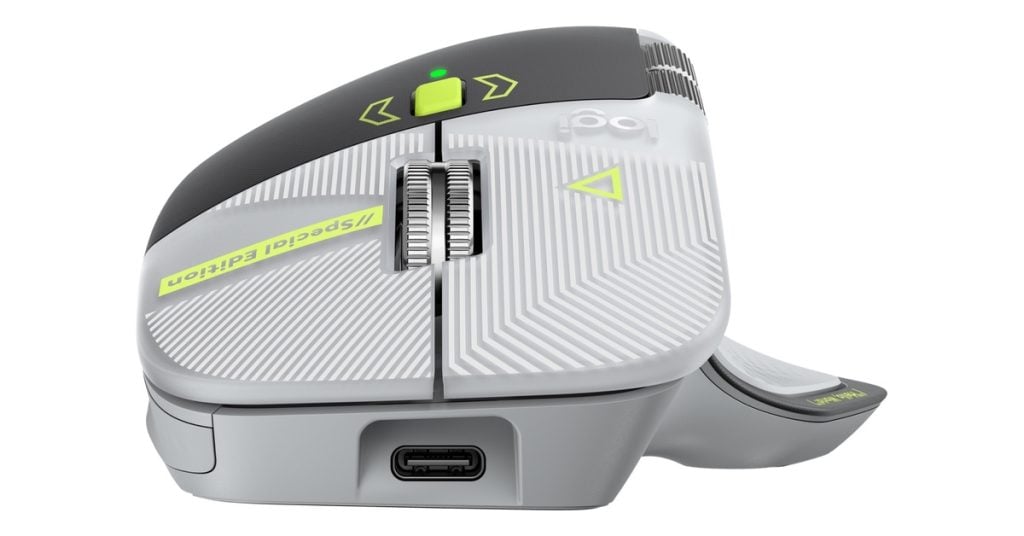
Underneath the new look, this is still an MX Master 4. Logitech is not presenting the Developer Edition as a performance upgrade over the standard model, and the attraction here is primarily its appearance.
The familiar feature list includes customizable haptic vibration feedback, which Logitech pitches for navigating large code repositories and switching terminal windows. A dedicated Actions Ring button provides access to customizable macros and shortcuts, including shortcuts to AI coding assistants.
How useful those options become will depend on your workflow. Developers who already handle most navigation through keyboard shortcuts might have less use for mouse-based commands, while others may appreciate putting frequently used actions within reach of their thumb.
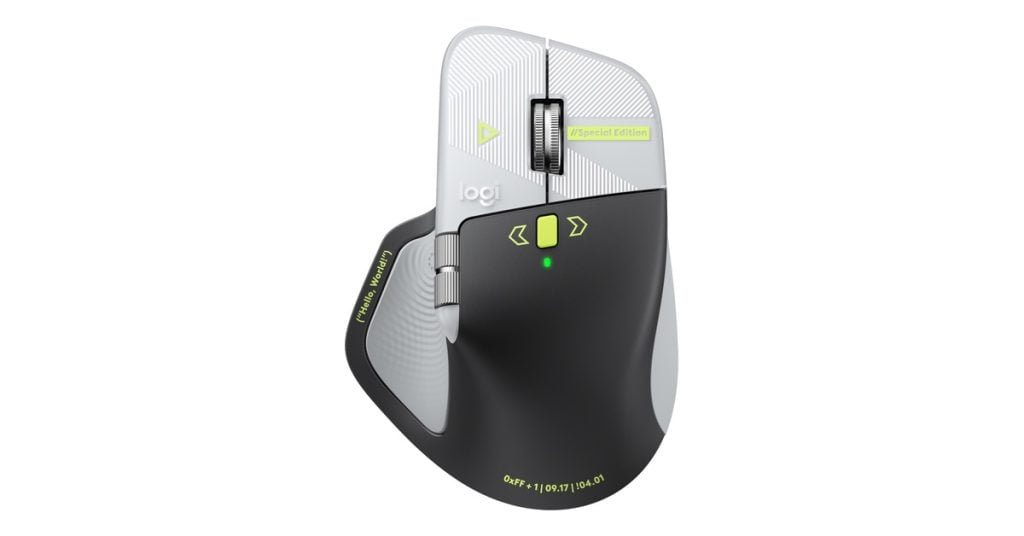
The MagSpeed scroll wheel also returns, with Logitech claiming scrolling speeds of up to 1,000 lines per second. That could help when moving through lengthy documents and source files, although the custom exterior is clearly the reason this particular edition stands out.
In the United States, the Logitech MX Master 4 Developer Edition will cost $119.99. Sales are scheduled to begin October 27 through Logitech.com and select retailers. Logitech also plans to sell it at GitHub Universe in San Francisco on October 28 and 29 while supplies last, with developer stations where attendees can try the mouse and custom macros.
Would I tell someone with a perfectly good MX Master 4 that they need to replace it? Of course not. But appearance matters for something that sits on your desk and spends hours in your hand.
This is essentially a familiar mouse with an incredible paint job, and that is perfectly fine. Add in some respect for Linux and the people who write software, and Logitech has made something I think is totally awesome.
Support independent tech journalism
NERDS.xyz is independently owned and operated. If you enjoy my coverage of Linux, AI, hardware, cybersecurity, and tech culture, consider supporting the site on Ko-fi.
Support NERDS.xyz