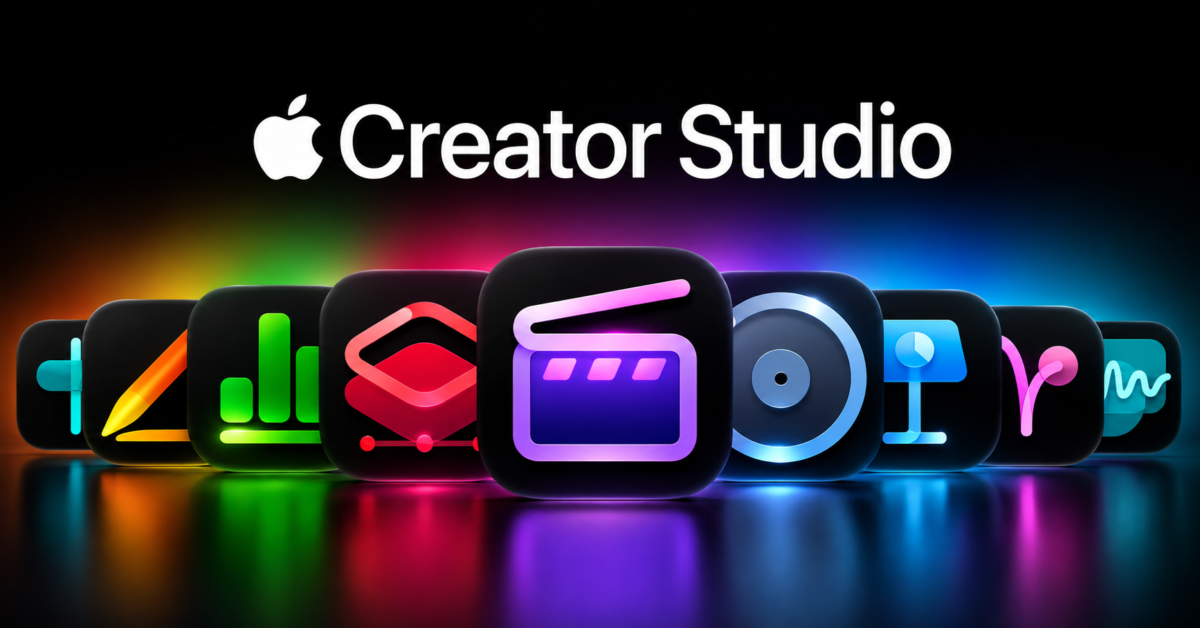
Apple is bringing OpenAI technology and support for external AI agents to its productivity applications as part of a major Apple Creator Studio update arriving in November. Announced today, the changes introduce intelligent assistants to Keynote, Pages, Numbers, and Logic Pro, alongside generative image editing in Pixelmator Pro and expanded AI-assisted workflows in Final Cut Pro.
Perhaps the most interesting development is Apple’s decision to support Model Context Protocol (MCP), which will allow compatible external AI agents to read, modify, and perform actions directly inside its productivity software. Combined with assistants powered by Apple’s own models and OpenAI, the update could change how people create presentations, manage spreadsheets, and work with documents.
According to Apple’s announcement, the new features will be included with Apple Creator Studio subscriptions, which cost $12.99 per month or $129 annually in the United States. Existing subscribers will receive the updates at no additional charge.
OpenAI comes to Keynote, Pages, and Numbers
Apple is introducing intelligent assistants directly into Keynote, Pages, and Numbers, allowing users to interact with their documents using natural language. Unlike a separate chatbot, these assistants understand the context of the content being edited and can help make changes without requiring users to leave their applications.
In Keynote, the assistant can help design presentations, improve existing slides, and create animations. Pages users will be able to draft, restructure, and refine written content, while Numbers gains assistance with calculations, data organization, and visualizations.
Numbers will also recommend chart types based on the information being analyzed, with a one-tap preview that lets users see the results. Its assistant can create custom tables using world knowledge, potentially reducing the need to build everything manually.
Apple says these capabilities use a combination of its own AI models and OpenAI technology. However, the company hasn’t identified which OpenAI models are involved or explained precisely how work is divided between Apple’s technology and its partner.
The assistants are launching in beta, so their reliability and practical limitations remain to be seen.
External AI agents will be able to edit Apple documents
Beyond the built-in assistants, Apple is adding MCP support to Keynote, Pages, and Numbers on macOS 27. MCP is an open protocol that allows AI applications to communicate with external tools and access information through standardized connections.
This means developers can build compatible AI agents capable of interacting directly with Apple’s productivity applications. Rather than simply answering questions, those agents will be able to read content, make edits, and execute automated actions.
For example, an AI agent could potentially take research collected from multiple sources, organize the information into a Numbers spreadsheet, and create a Keynote presentation based on the results. That’s an example of what the technology could enable, rather than a specific workflow Apple has demonstrated.
The distinction matters because AI agents aren’t limited to generating suggestions. They can carry out tasks, making their access to documents considerably more consequential than a traditional chatbot.
There are also security and reliability questions. Apple hasn’t detailed how permissions, approval requirements, or safeguards will work when external agents attempt to modify documents. Giving AI software the ability to change important information is useful only if users remain in control of those changes.
Apple is also introducing Keynote Interchange Format, or .keyx, an open JSON-based bundle format designed for external tools, developers, and AI agents. This should make Keynote presentations easier to work with programmatically.
Pixelmator Pro can generate and replace image content
Pixelmator Pro is receiving a generative AI feature called Generate Fill, allowing users to modify selected portions of an image using written descriptions.
Users can circle an area or use existing selection tools, including Free Selection, Quick Selection, and Magnetic Selection, before describing what should appear in the selected region.
Apple says Generate Fill attempts to match the lighting, perspective, and textures of the surrounding image. Its Super Resolution technology can upscale generated content, while intelligent masking allows the results to be inserted as separate layers for further editing.
The feature also extends into Final Cut Pro workflows. Video editors can open images from their timelines directly in Pixelmator Pro, make adjustments, and have those changes reflected in their projects without manually importing the files again.
Final Cut Pro and Motion are gaining text-based image generation capabilities as well. For creators who need backgrounds, illustrations, or other visual elements, this could reduce the amount of time spent moving between different tools.
Logic Pro gets an AI assistant for music production
Apple is bringing another intelligent assistant to Logic Pro for Mac, this time focused on helping musicians navigate the complexities of audio production.
The assistant can help users start a song, configure a vocal track from a single prompt, and refine an existing project. Apple says it combines internally developed technology with third-party AI models, although it hasn’t identified the outside providers involved.
Logic Pro is also receiving a redesigned Browser that brings loops, instruments, and effects together in one location. A new on-device music understanding system automatically analyzes, classifies, and tags imported sounds, making audio libraries easier to search.
Users can even drag a loop into the Browser to find matching audio. This could be particularly helpful for musicians managing large collections of samples.
Apple is also improving Stem Splitter, which can now isolate, replace, or rebalance drum components without access to the original multitrack recordings. Voice Memo Studio Sound provides additional tools for reducing background noise and room ambience in recordings captured on supported iPhones.
Final Cut Pro gets more than AI
Although AI is the main attraction, Apple is making several conventional improvements to its professional video software.
Final Cut Pro for Mac is gaining built-in MotionVFX content, including thousands of templates, transitions, titles, and visual effects. The collection includes tools for rotoscoping, tracking, and color grading.
Apple is also expanding its Content Hub with stock video, photographs, and backgrounds that editors can access without leaving Final Cut Pro. Additional improvements include more keyframe easing options, greater flexibility when positioning clips, and transcription support for 23 new languages.
Motion is receiving additional MotionVFX plug-ins, including tools for 3D camera tracking and cinematic color grading. Freeform, meanwhile, will gain the ability to generate editable shapes from text descriptions in December, alongside integration with Pixelmator Pro.
These additions aren’t necessarily as attention-grabbing as AI agents, but they round out a substantial update for Apple’s creative software collection.
Apple Creator Studio comes with a subscription
Apple Creator Studio brings together applications including Final Cut Pro, Logic Pro, Pixelmator Pro, Keynote, Pages, and Numbers under a single subscription. The service costs $12.99 per month or $129 annually, while college students and educators can subscribe for $2.99 per month or $29.99 per year.
New subscribers receive a one-month free trial, and qualifying Mac or iPad purchases can include three months of service. Family Sharing supports up to six family members, while the standard free versions of Keynote, Pages, Numbers, and Freeform remain available.
Personally, I have mixed feelings about this direction. As someone who paid for the full versions of both Final Cut Pro and Logic Pro, I’m rather annoyed to see Apple putting so much emphasis on a subscription service. I purchased those applications outright because I preferred paying once rather than adding another recurring bill.
To be fair, Apple continues to sell standalone versions of Final Cut Pro for $299.99 and Logic Pro for $199.99. However, its announcement doesn’t clearly explain which of the new AI capabilities, if any, will be included in those one-time-purchase versions. That’s something Apple should clarify for existing customers.
There are hardware requirements to consider, too. The assistants in Keynote, Pages, and Numbers require an Apple Intelligence-capable device running iOS 27, iPadOS 27, or macOS 27 or later. MCP support requires macOS 27, while the Logic Pro assistant requires an Apple Intelligence-capable Mac running macOS 27 Golden Gate or later. The assistants will initially support U.S. English only.
Strangely, Apple hasn’t provided an exact November release date for the updates.
What’s particularly interesting about this announcement is how Apple is combining its own AI technology with outside models and open standards. Its productivity assistants rely partly on OpenAI, while MCP allows external AI developers to build integrations that can do more than simply generate text.
That could make Apple’s applications considerably more useful, especially for people interested in automating repetitive work. Still, there is a difference between announcing AI capabilities and delivering tools that people can trust with important projects.
I’m interested in seeing how these features perform when they arrive next month. I just hope Apple remembers that customers who already paid for its professional applications deserve some attention, too.
Support independent tech journalism
NERDS.xyz is independently owned and operated. If you enjoy my coverage of Linux, AI, hardware, cybersecurity, and tech culture, consider supporting the site on Ko-fi.
Support NERDS.xyz