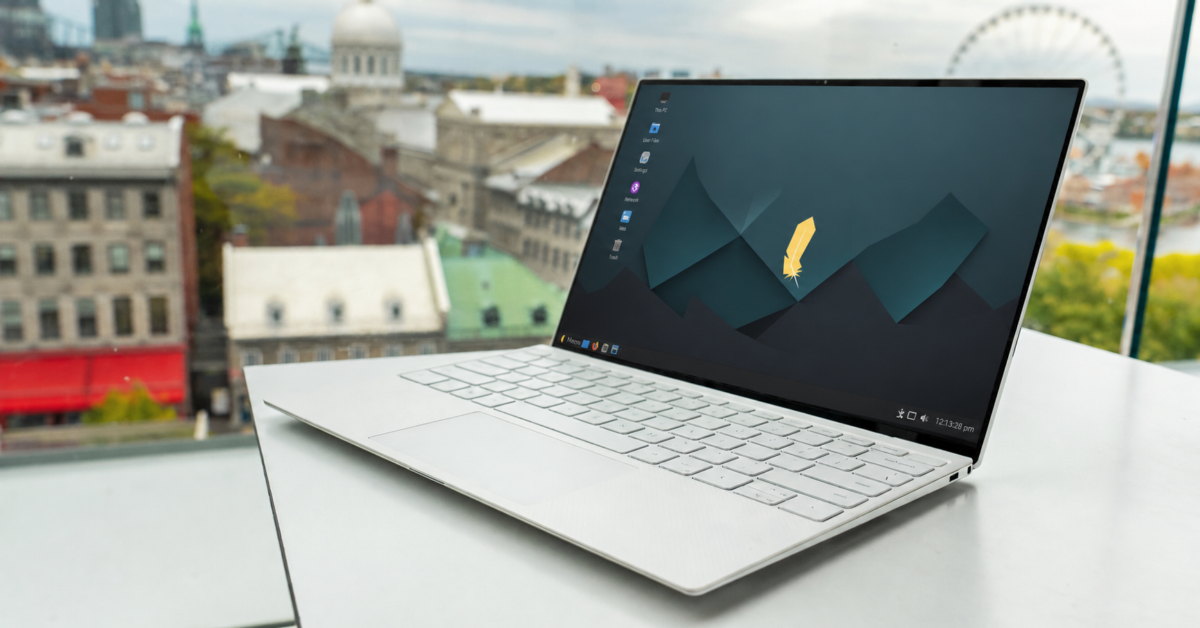
There are a lot of Linux distributions out there, folks, but only a handful manage to strike that sweet spot between simplicity and capability. For me, Linux Lite has always been one of those distros. Whether you are a total Linux beginner, a frustrated Windows switcher, or even a longtime Linux veteran looking for something lightweight and practical, Linux Lite consistently delivers.
Now, Linux Lite 8.0 Final has officially arrived (download here), and this is not some tiny maintenance release. In fact, this may be the distro’s biggest update yet.
Built on Ubuntu 26.04 LTS and carrying the codename “Hematite,” Linux Lite 8.0 introduces sweeping changes across nearly every part of the operating system. The distro still uses the XFCE desktop with LightDM, but underneath the familiar appearance is an enormous amount of new code and functionality.
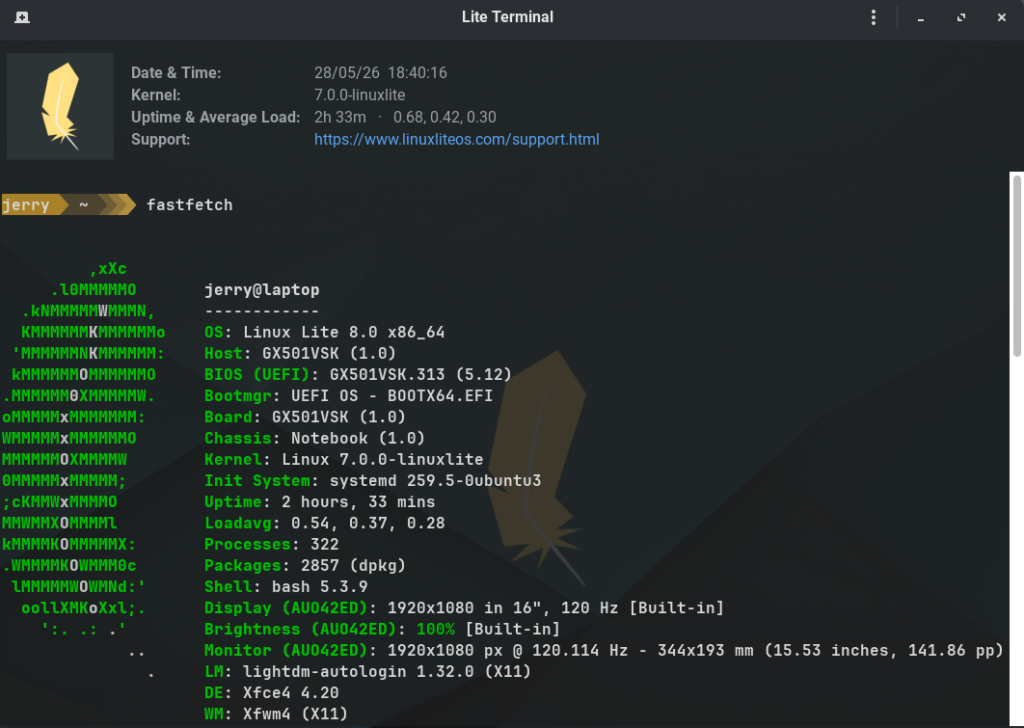
One of the biggest additions is the introduction of Linux Lite’s own custom kernels. The project now ships with two optimized kernel options: a default desktop kernel and an optional gaming kernel. Both include the EEVDF scheduler along with the BORE scheduler enhancements, which are designed to improve desktop responsiveness and reduce lag during heavy workloads.
The optional linuxlite-gaming kernel goes even further with full preemption enabled, aiming to reduce input latency for gamers and creative professionals. Linux Lite even includes a benchmarking system so users can compare scores and tweak performance.
That sort of thing is usually reserved for more advanced distributions, which makes its inclusion here pretty interesting.
Another huge change is the move to GTK4. All Linux Lite GUI applications have now been ported away from GTK3 and WebKit2. The distro also introduces a large collection of new in-house applications, many of which are designed to simplify traditionally frustrating Linux tasks.
For example, Lite Driver Manager helps users install graphics drivers without digging around in terminal commands. Lite Share Folder attempts to make Linux network sharing less painful. Lite Software replaces Synaptic Package Manager with a more approachable software storefront. There is even a Lite Game Center that can automatically install Steam, Lutris, Wine, Proton, controller support, and other gaming tools.
Linux Lite 8.0 also replaces the long-used Ubiquity installer with Calamares, which many Linux fans will likely appreciate. Calamares tends to feel cleaner, faster, and more modern than Ubuntu’s aging installer.
One thing I especially appreciate about Linux Lite is that it never tries too hard to impress people with flashy gimmicks. The focus remains on usability, speed, and accessibility. This distro still runs very well on older hardware, making it a nice option for breathing life into aging PCs that Windows 11 would rather leave behind.
That lightweight nature remains a major selling point.
There are some interesting smaller touches too. Firefox has returned as the default browser, Fastfetch replaces the abandoned Neofetch, and Starship replaces Powerline for terminal prompts. JPEG XL and HEIC image support now work out of the box as well.
Then there is MyAI.
Yes, Linux Lite now includes a local AI assistant option. Thankfully, this is not some cloud-based telemetry nightmare. According to the project, the feature runs entirely on the user’s machine with no account requirements and no data collection. Better yet, if you do not want it, you can simply remove it with a single terminal command.
I can already hear some Linux users groaning about AI being added to distributions, but at least Linux Lite appears to be approaching it in a respectful and optional way.
There is one catch some folks will not love: Secure Boot is not supported in Linux Lite 8.0. Users will need to disable it in firmware before installation. The project says this decision was made to keep the experience simpler and avoid shim and MOK-related headaches after kernel updates.
Frankly, some Linux users will probably agree with that tradeoff.
Linux Lite 8.0 feels like a release that is trying to modernize without losing sight of what made the distro appealing in the first place. It still feels approachable, still feels lightweight, and still feels like a genuinely useful desktop Linux distribution rather than an experiment chasing trends.
Private AI can reduce cloud exposure, but local processing does not automatically make a model accurate or safe. Users should still understand what data is indexed and how results are generated.
Support independent tech journalism
NERDS.xyz is independently owned and operated. If you enjoy my coverage of Linux, AI, hardware, cybersecurity, and tech culture, consider supporting the site on Ko-fi.
Support NERDS.xyz