

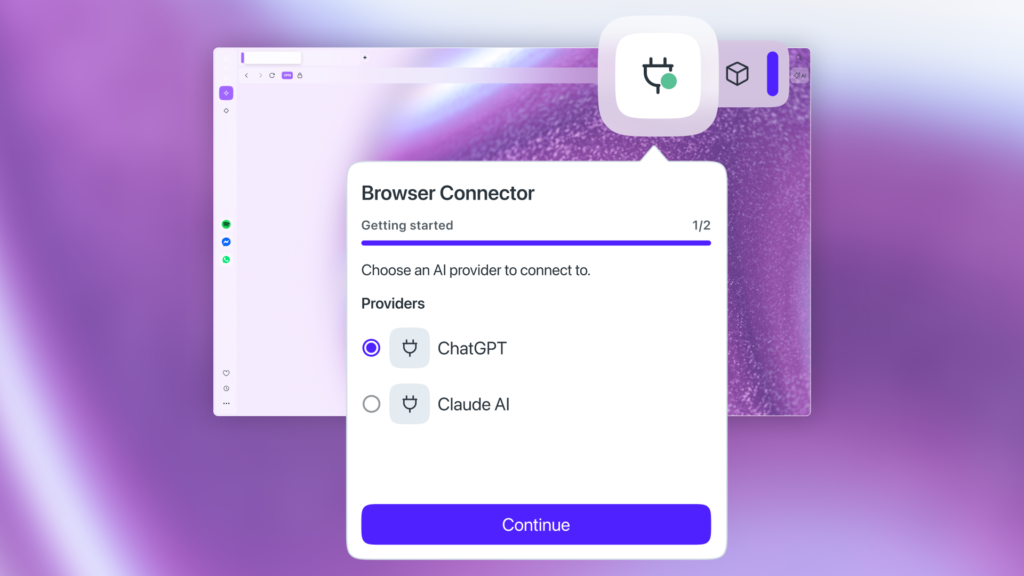
The folks at Opera are experimenting with something that could make AI tools a lot more useful while browsing the web. A new feature called Browser Connector allows external AI assistants like ChatGPT and Claude to access what is happening inside your browser in real time. Instead of manually copying text into a chatbot, the AI can read the pages you have open and understand the context itself.
Browser Connector is built into Opera One and Opera GX. When enabled, it allows an AI tool to see your active tabs and read the content on those pages. The idea is that the AI can then answer questions or analyze information based on what you are already looking at.
Anyone who has tried using AI for research probably knows the awkward routine. You copy a chunk of text, paste it into a chatbot, explain where it came from, and then repeat that process again and again. Opera says this new feature removes that step entirely. The browser simply shares the context directly with the AI instead of forcing the user to play middleman.
In theory, this could be pretty handy. If you have several tabs open comparing products, reading documentation, or digging through research, the AI could summarize everything for you. It could also analyze charts, screenshots, or other content that appears on the page.
Opera is also framing the feature as part of its broader philosophy around user choice. Rather than pushing people toward a single AI ecosystem, the company says users should be able to connect whatever tools they prefer.
“With Browser Connector, Opera ensures users aren’t bound to a single company’s ecosystem, but are instead free to combine the best tools for their specific needs,” said Mohamed Salah, Senior Director of Product at Opera.
This feature builds on Opera’s earlier work around AI inside the browser. The company first integrated ChatGPT back in 2023 and later added its own multi model AI system. Browser Connector builds on technology first introduced in Opera Neon and now brings that capability to Opera One and Opera GX.
Of course, the idea of giving an AI assistant access to your open tabs will raise some eyebrows. That kind of access could be incredibly useful, but it also means you are trusting the connection between your browser and the AI service. Some folks will probably want to think carefully about when they enable something like this.
If you want to try it yourself, Browser Connector is available today in Early Bird mode for Opera One and Opera GX. Users can head to Settings, search for “AI Services,” and install the Browser Connector feature. From there, you can connect either ChatGPT or Claude and start experimenting.
Support independent tech journalism
NERDS.xyz is independently owned and operated. If you enjoy my coverage of Linux, AI, hardware, cybersecurity, and tech culture, consider supporting the site on Ko-fi.
Support NERDS.xyz