Voyager 26.10 has arrived with an AI kill switch that the project says completely removes its bundled AI tools. The Ubuntu-based Linux distribution also provides a repair option for restoring them if you change your mind.
That is a welcome bit of flexibility. I might try an AI feature out of curiosity, decide it adds nothing to my workflow, and want it gone. Being able to reverse that decision later makes experimentation easier, too.
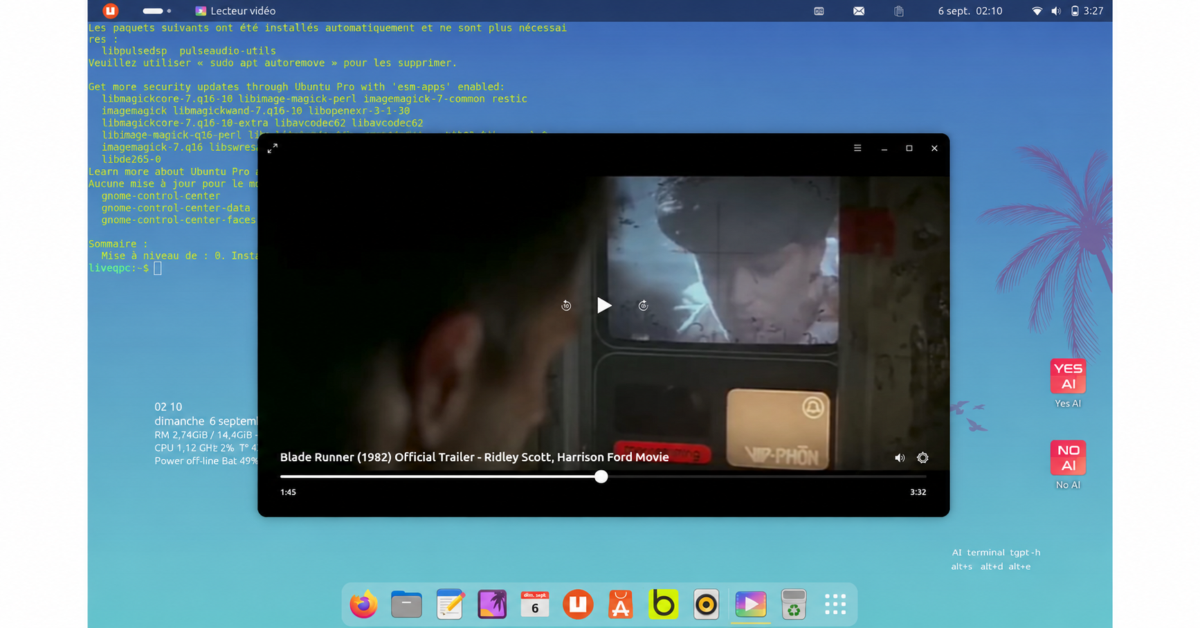
Voyager’s terminal chatbot uses tgpt, with provider selection and a companion GNOME extension. The project promotes chatbot access without an API key. An API key is a credential that an application uses to access a service, and whether you need one depends on which provider you choose.
The tgpt project’s own documentation lists both free services and providers that require credentials. Its OpenAI provider requires an API key, while Ollama supports local models. In other words, Voyager’s references to ChatGPT should not lead readers to assume every terminal conversation goes through OpenAI. The selected provider determines the service behind the replies.
The full Snap edition also includes an experimental version of Myna, which the AI kill switch removes. This is Canonical’s speech-to-text tool: put your cursor in a text field, press the configured shortcut, and speak. Myna transcribes your words into the application you are using.
Canonical says recognition runs entirely on your computer. Once you download a model, transcription needs no internet connection, and the software does not upload or store your audio. That could make it useful for people who prefer dictation or find typing difficult, without requiring them to send recordings to a remote transcription service.
Myna supports recognition engines including Parakeet, Whisper, and FunASR, with different language support, accuracy, and hardware requirements. Supported NVIDIA hardware can also provide GPU acceleration. However, Canonical still labels the software a technology preview and warns of rough edges. Its current job is dictation; it does not operate the desktop through spoken commands.
Voyager builds on Ubuntu 26.10 Stonking Stingray, with GNOME 51 and Linux kernel 7.3. Canonical says that desktop release brings improvements to display handling, accessibility, and core applications, while the kernel adds support for newer hardware.
Ubuntu’s changes also reach beyond appearance. Version 26.10 completes its rollout of Rust-based coreutils and introduces post-quantum package signing. Canonical has also changed desktop message handling to dbus-broker, with per-application accounting intended to prevent one application from stalling the desktop. These are less visible changes than a new theme, but they address the foundation on which applications run.
Voyager offers a 6.3GB Snap/deb edition using the Subiquity installer and a 4GB Flatpak/deb edition using Ubiquity. Both retain traditional deb packages alongside their respective application formats.
For readers unfamiliar with those names, Snap and Flatpak are ways to distribute applications across Linux distributions. Snap packages are self-contained, with snapd managing installation and updates. Flatpak applications use shared runtimes and run in sandboxes, with permissions governing access to resources outside them. The choice affects how you obtain and manage software, so it is worth checking how your preferred applications are distributed before picking an edition.
Voyager also offers optional software packs, a bottom dock, Conky desktop information, the transparent Tilda terminal, and Purple and Graffiti styles. Its Box Voyager tools expose additional settings, including desktop cube effects and Wine plus WineGUI options.
For me, those desktop choices are a reason to consider a distribution like Voyager in the first place. Some users enjoy assembling their own collection of extensions, themes, and utilities. Others would rather start with someone else’s arrangement and adjust it to taste. The appeal depends on how closely that starting point matches the way you use your PC.
Released October 16, Voyager 26.10 receives nine months of updates. That is a short maintenance window, so anyone installing it as a daily operating system should be comfortable planning another upgrade. If your priority is keeping the same installation supported for years, an LTS release deserves consideration instead.
Both editions are available through the Voyager 26.10 download page. The smaller image may be more convenient to download, but file size alone should not decide which software setup suits you.
Support independent tech journalism
NERDS.xyz is independently owned and operated. If you enjoy my coverage of Linux, AI, hardware, cybersecurity, and tech culture, consider supporting the site on Ko-fi.
Support NERDS.xyz