Artificial intelligence is finding its way into just about every operating system, but the results often feel tacked on. A chatbot appears in a sidebar, answers a few questions, and otherwise remains disconnected from the computer it is supposed to help you use.
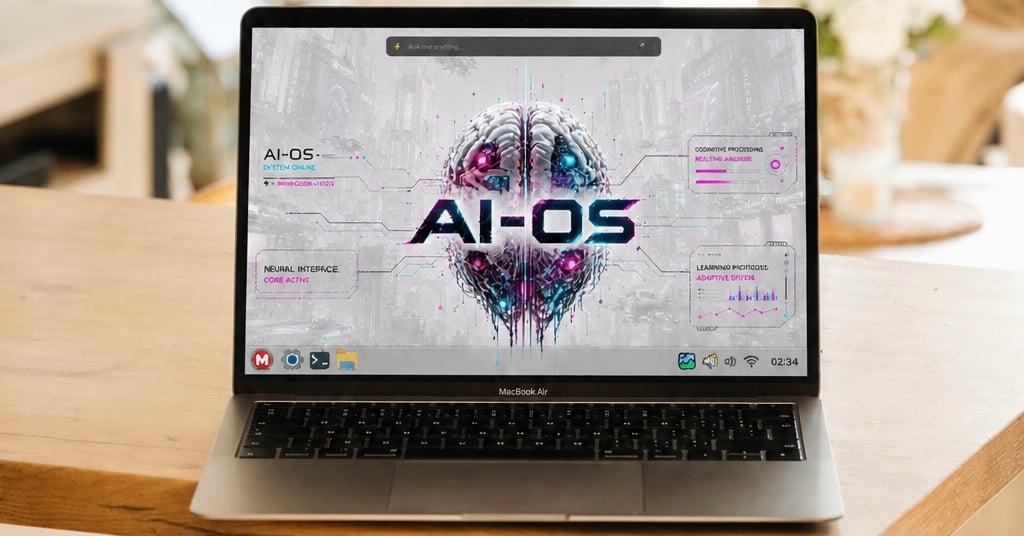
MakuluLinux is taking a far more aggressive approach with AI-OS, a Linux distribution that places its Electra AI system at the center of the desktop. Seriously, folks, this is friggin’ ambitious…
MakuluLinux AI-OS is available here now as a downloadable ISO. The release is identified as a Debian edition and uses the Cinnamon desktop environment, giving users a familiar Linux interface beneath all the AI features.
MakuluLinux argues that most attempts to add AI to Linux amount to little more than wrappers around services such as ChatGPT, Claude, or Gemini. The project says AI-OS is different because it relies on MakuluLinux’s own backend infrastructure, routing layer, memory system, model management tools, and API.
That does not mean MakuluLinux trained every model itself. Electra still provides access to models from companies and projects including NVIDIA, DeepSeek, Mistral, Qwen, Google, Meta, and Kimi. The difference is that MakuluLinux operates the layer connecting those models to the desktop and its users.
The company says this gives it more control over pricing, availability, account limits, routing, and the overall user experience. It also reduces the need for users to collect API keys and configure separate accounts for every model provider.
Whether that makes AI-OS a completely independent AI platform is debatable, but it is certainly more ambitious than placing a web shortcut in the application menu.
Electra sits at the center of AI-OS
The main attraction is Electra, which MakuluLinux describes as an operating system-level AI layer rather than a standalone chatbot.
Electra can work with files, execute terminal commands, search the web, write code, generate documents, analyze images, read text from other applications, and connect to outside services.
That is an enormous list of responsibilities for one tool.
At the center of the experience is the Electra Bar, a floating input field that remains available on the desktop. Users describe what they want in plain language, and Electra attempts to route the request to the appropriate specialist mode.
Ask a general question, and Chat Mode responds. Request help with a software project, and Coder Mode takes over. Tell Electra to install an application, inspect hardware, or diagnose a broken service, and Command Mode handles the request.
Users are not supposed to worry about choosing the correct mode first. Electra studies the prompt and makes that decision automatically.
Voice input is also supported through an offline multilingual speech system. In theory, users can speak commands in their preferred language without sending the audio to an outside transcription service.
Electra can control Linux using plain language
Command Mode may be one of the most useful parts of AI-OS, particularly for people who find the Linux terminal intimidating.
Instead of searching the web for a command and hoping it applies to the correct distribution, users can simply describe the task. Electra can manage packages, services, files, networking, Docker containers, SSH connections, hardware drivers, and other parts of the operating system.
It then interprets the output and explains what happened in language that should be easier to understand than a wall of terminal text.
For example, MakuluLinux says a user could ask Electra to identify a graphics card and install the correct NVIDIA driver. The system would inspect the hardware, choose the package, make the required configuration changes, and explain whether a reboot is needed.
At least, that is the idea.
Giving an AI permission to execute terminal commands obviously introduces risk. MakuluLinux includes a dry-run mode that lets users review commands before they are run. Docker sandboxing can also isolate certain operations from the main system.
Those safeguards matter because a confident AI assistant can still produce a very wrong command. A natural-language interface may make Linux easier to use, but it does not make system administration harmless.
MakuluLinux is targeting developers too
Coder Mode turns Electra into something closer to an autonomous software development agent.
According to MakuluLinux, Electra can inspect a project, map the codebase, create and edit files, run commands, generate tests, identify errors, and continue working through problems without constant input from the user.
It supports language servers including Pyright, tsserver, rust-analyzer, clangd, and gopls. Electra can also run linters, search for references, review individual files, generate code suggestions, and attempt to repair failures.
Changes are backed up before files are modified, while rollback and checkpoint tools allow users to reverse unwanted edits.
A separate planning workflow divides larger projects into three stages. An Architect agent studies the codebase and proposes a plan. A Developer agent implements the work. A Reviewer agent checks the result for missed requirements, security problems, and weak testing.
This is similar to the multi-agent approach appearing in other AI coding products, but integrating it directly into a Linux distribution makes MakuluLinux’s implementation more unusual.
Electra also includes a graphical development interface with a file explorer, tabbed editor, Git tools, diagnostics, a minimap, and an AI chat panel. Support for Open VSX extensions allows users to install compatible themes, language definitions, snippets, and language servers.
There is also a terminal-based development environment for people who would rather stay on the command line.
AI-OS goes well beyond coding
MakuluLinux is not limiting Electra to system administration and software development.
Writer Mode can create and edit articles, documentation, reports, marketing material, business documents, and social media posts. Existing files in PDF, DOCX, EPUB, ODT, HTML, and RTF formats can be imported, edited, and exported.
MakuluLinux says Writer Mode includes rules designed to remove many of the filler phrases that make AI-generated text easy to recognize.
That is a welcome goal, although no collection of writing rules can replace editing, judgment, experience, or an actual point of view.
Novel Mode is even more ambitious. Users can provide a story idea, and Electra will attempt to develop the premise, characters, setting, chapter outlines, scenes, and final manuscript. The finished project can then be exported as an EPUB or PDF.
MakuluLinux gives the example of entering a single science-fiction premise and allowing Electra to build the entire book from it.
That sounds impressive in a demonstration, but generating a publishable novel is a much bigger challenge than producing a large collection of words. Writers will still need to edit aggressively, check continuity, fix repetition, and make sure the result does not read like generic AI output.
Research Mode performs multiple web searches and combines the findings into a structured report. Electra also supports image analysis, text-to-speech, reminders, weather information, travel planning, QR code creation, clipboard tools, and file encryption.
In other words, MakuluLinux appears determined to place nearly every imaginable AI function inside the same interface.
Electra remembers conversations and projects
One of the more interesting parts of AI-OS is its memory system.
MakuluLinux says Electra uses a system called MemPalace to retain conversational context between sessions. The service stores conversations as semantic embeddings and retrieves relevant memories when users return later.
Memory can persist for up to 60 days and works across Chat, Coder, Writer, and Command modes.
The idea is that Electra can remember a user’s name, preferences, ongoing projects, past mistakes, and previous conversations without requiring the same background to be entered every time.
Coder Mode can also assign a stable identity to each project based on its location. This should help Electra remember earlier architectural decisions, modified files, and unfinished work.
Offline memory is available when using local Ollama models, allowing some context to remain on the computer without relying on MakuluLinux’s servers.
Electra can also read visible text from the currently focused application through Linux accessibility tools. MakuluLinux says this allows the assistant to understand text displayed in browsers, terminals, and PDF readers without constantly taking screenshots.
That level of access could make Electra genuinely useful, but it also raises obvious privacy questions. Users should understand what information leaves the computer, how long it is stored, and which features depend on remote servers.
MakuluLinux operates its own AI backend
MakuluLinux is making its backend infrastructure a major part of the AI-OS pitch.
The project says it built its own server infrastructure, model routing layer, memory architecture, account system, and OpenAI-compatible API rather than handing users a collection of shortcuts to third-party services.
Again, that does not mean every part of Electra is independent from outside companies. Many of the available models still come from other providers, and those relationships could change.
Still, controlling the routing and account layer gives MakuluLinux more influence over how Electra behaves and which models are available to each user.
MakuluLinux says AI-OS includes access to more than 80 AI models. Its earlier announcement referred to more than 70, suggesting the catalog has continued growing.
The list includes large reasoning models, smaller models designed for speed, coding models, writing models, vision models, audio models, and research-focused options.
Users do not need to enter separate API keys for every provider. They can select models manually, while Electra can also route requests based on the task.
AI-OS can fall back to local models
MakuluLinux says AI-OS automatically falls back to a locally installed model when an internet connection is unavailable.
Local models run through Ollama and can continue handling chat, coding, writing, and command requests without sending prompts to a remote server.
That could be useful on a plane, during an internet outage, or for users who prefer to keep certain work on their own hardware.
Of course, local AI performance will depend heavily on the computer. A small model may run reasonably well on ordinary hardware, while larger models can require far more system memory, graphics memory, and processing power.
Offline support is still an important addition. Many supposedly AI-powered products become nearly useless as soon as their connection to a cloud provider disappears.
The Electra API works outside AI-OS
Electra is not limited to the MakuluLinux desktop.
MakuluLinux also provides public access to its AI backend through an OpenAI-compatible API. That means the service can work with applications such as Open WebUI, Continue.dev, LM Studio, Cursor, and software built with OpenAI SDKs.
Users sign in through Patreon to generate an API key, but a paid subscription is not required.
Free accounts receive 50 requests per day and access to the free model tier. The $5 Private plan increases that allowance to 500 requests per day, while the $10 Corporal plan includes 1,500 requests.
The $20 Sergeant tier provides 4,000 daily requests. The $40 Major plan raises the limit to 10,000 and adds access to models from DeepSeek, ByteDance, and Ollama.
The $100 Commander plan removes the daily request limit and includes the same expanded model access.
MakuluLinux counts requests rather than tokens, and the limits reset every day at midnight UTC. That makes the pricing easier to understand than token-based billing, although a request could represent anything from a quick question to a much larger coding task.
The API helps explain the broader strategy behind Electra. MakuluLinux is not merely building an AI feature for one Linux distribution. It is creating an AI service that can run inside AI-OS or connect to third-party tools.
Electra reaches beyond the Linux desktop
MakuluLinux has built integrations for services including GitHub, Gmail, Google Workspace, Spotify, Discord, Reddit, Home Assistant, and Telegram.
The Telegram bridge lets users send instructions to Electra remotely and receive the results on their phones.
MakuluLinux gives the example of someone sitting on a bus and sending Electra a message asking it to update a computer at home. Electra would receive the instruction, run the update, and send a message or email when the work is finished.
That could be genuinely convenient. It could also be dangerous if the remote account or connection is not properly secured.
A Heartbeat Agent can perform scheduled tasks without leaving the Electra terminal open. Possible uses include system maintenance, daily summaries, email reports, news digests, and automated checks.
MakuluLinux presents this as something more intelligent than a traditional cron job because Electra can make decisions and perform multi-step tasks instead of merely launching a fixed command.
Home Assistant support allows Electra to control compatible smart home devices using natural language. Users could ask it to adjust the thermostat, turn off lights, lock a door, or activate a scene from the same interface used for Linux commands and AI conversations.
Remote access to an AI agent that can execute system commands and control connected devices sounds powerful, but it is something users should configure very carefully. A compromised account or poorly secured integration could become a direct path into the computer or home.
AI-OS makes some enormous promises
I love seeing Linux developers experiment with ideas that go beyond copying Windows or macOS. MakuluLinux is not simply placing another chatbot in the application menu. It is trying to change how people interact with the entire desktop.
The project is also correct about one thing: adding a chat window to an existing operating system does not automatically create an AI operating system.
That does not mean every MakuluLinux claim should be accepted at face value.
AI-OS promises autonomous coding, system repair, article writing, novel generation, persistent memory, remote computer control, smart home management, offline operation, and access to dozens of AI models.
Any one of those features could be an entire product on its own.
MakuluLinux also describes AI-OS as the world’s first truly AI-based operating system. That is a marketing claim, not an independently established title, and plenty of other companies are also trying to place AI deeper inside operating systems.
The real test is not whether Electra can perform these tasks during a carefully selected demonstration. It is whether the system remains accurate, predictable, private, and safe during normal daily use.
There is also the question of whether users actually want a single AI layer to control so many parts of their computers, accounts, and digital lives.
Still, Linux users who enjoy testing unusual distributions now have something genuinely different to download. MakuluLinux AI-OS has been available since July 28, and Electra may be one of the most ambitious attempts yet to build artificial intelligence directly into a Linux desktop.
Support independent tech journalism
NERDS.xyz is independently owned and operated. If you enjoy my coverage of Linux, AI, hardware, cybersecurity, and tech culture, consider supporting the site on Ko-fi.
Support NERDS.xyz