
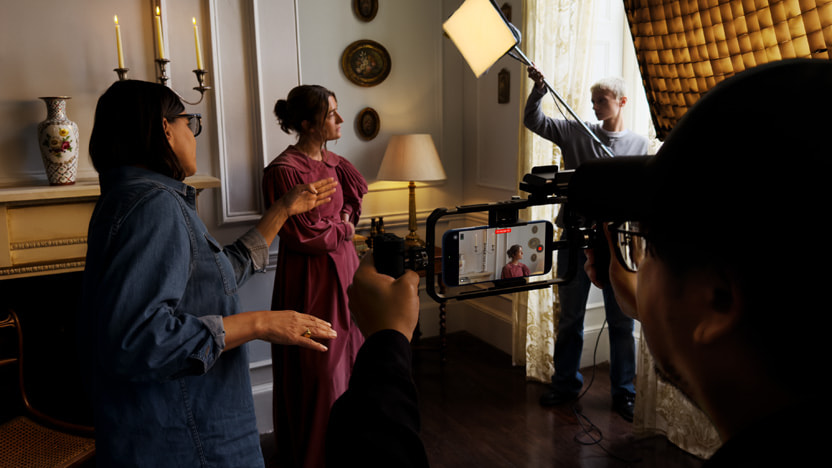
Apple is pushing the iPhone deeper into pro video territory with Final Cut Camera 2.0. The free app now records ProRes RAW on iPhone 17 Pro and iPhone 17 Pro Max, adds genlock for multi-device sync, and brings new manual controls to the Center Stage front camera across the new iPhone lineup. There is also open gate recording for editors who want to reframe and set aspect ratios later without losing detail.
ProRes RAW on a phone is a real curveball. You are capturing sensor data with plenty of room for color and exposure adjustments, yet keeping the familiar ProRes workflow. Apple says the updated app taps the Media Engine in its silicon for faster exports and smaller files than other RAW formats. That sounds great on paper. In the real world, RAW means heavier workflows, big storage requirements, and a need for proper backup.
If you are a run-and-gun creator, you will feel the weight in both file sizes and decision making. If you are shooting commercials, documentaries, or news packages with tight color pipelines, having ProRes RAW in your pocket could be a win.
Open gate support is another welcome nod to modern editing. By recording the full sensor readout at resolutions beyond DCI 4K, you can crop for vertical or traditional widescreen after the fact, stabilize more aggressively, and still deliver a crisp master. For social teams that cut multiple aspect ratios from one take, this is practical, not just marketing fluff.
Genlock is the surprise feature. With it, iPhone 17 Pro can lock to an external reference so every frame stays in step with other cameras. That means fewer headaches when you pull a multicam timeline into Final Cut Pro and scrub around looking for drifts. Apple is opening an API for this, and it is already being used with Blackmagic Design’s new Camera ProDock.
The catch is obvious. Genlock is a pro studio thing. You need the extra hardware and a workflow that actually benefits from it. Most YouTubers will not bother. Live event teams and broadcast folks will take a look.
Apple is also giving attention to the front camera. The new Center Stage unit on iPhone 17, iPhone Air, and the Pro models has a larger, square sensor with a wider field of view and higher resolution. Final Cut Camera 2.0 lets you capture horizontally or vertically without twisting the phone, while still dialing in white balance and manual focus. For talking heads and interviews, that matters more than it sounds.
Timecode finally gets proper options. You can stamp footage by time of day, run-of-record, or feed in external timecode. That alone makes life easier when you hand clips to an editor after a day on location. The app also supports Apple Log 2 on iPhone 17 Pro in ProRes or HEVC, and you can apply Apple’s Log 2 LUT in Final Cut Pro on iPad or Mac to view and grade with the right intent. If you grab telephoto shots, the new 200 mm camera on iPhone 17 Pro records ProRes up to 4K60, giving you tighter framing without fake digital zoom.
On the post side, Final Cut Pro 11.2 and Final Cut Pro for iPad 2.3 will add direct controls for iPhone ProRes RAW. Editors can tweak exposure, color temperature, tint, and demosaicing inside Apple’s apps. That is the way it should be. Just remember those versions are “upcoming,” so teams should plan their upgrades before committing a production to this new workflow.
As someone who covers tech and also shoots family videos, I have mixed feelings. The features are impressive, yet phones are still phones. Thermals, sustained write speed, and battery life can get in the way on long takes. Cooling rigs and external SSDs help, but now you are adding cages and cables to a device that was supposed to be simple. At that point, a dedicated camera starts to make sense again. On the other hand, for journalists and creators who already carry an iPhone, the ability to grab a ProRes RAW shot in a pinch is powerful insurance.
One more reality check. ProRes RAW is not a magic button that makes everything look cinematic. You still need good light, stable shooting, and a color plan. If you are not grading, you might be happier sticking with regular ProRes or HEVC with Apple Log 2. The extra latitude is only useful if you intend to use it.
Final Cut Camera remains free on the App Store, which removes a big barrier to trying all this. Version 2.0 is “coming later this month,” and you will need at least an iPhone Xs on iOS 18.6 to run it. The headline features like ProRes RAW and genlock require iPhone 17 Pro hardware. Apple’s stance is clear. It wants the iPhone to be taken seriously on set, not just on vacation.
If Apple can keep thermals in check and third parties keep building the right docks and tools, Final Cut Camera 2.0 could be more than a spec sheet flex. If not, it risks becoming another feature that sounds epic but gathers dust once the novelty wears off. I hope it is the former. Simpler, better video on a device you already own is a good goal. Just do not pretend a phone replaces every camera. It does not.
Support independent tech journalism
NERDS.xyz is independently owned and operated. If you enjoy my coverage of Linux, AI, hardware, cybersecurity, and tech culture, consider supporting the site on Ko-fi.
Support NERDS.xyz