
Linux gaming has come a long way, but anti-cheat software remains one of its biggest headaches. Even when a game runs beautifully through Proton, its anti-cheat system can prevent Linux users from playing. The latest CachyOS release attempts to address part of that problem, although getting everything working requires more than installing a kernel update.
The November 2026 release of CachyOS, an Arch-based Linux distribution focused on performance, introduces support for Easy Anti-Cheat (EAC) Linux v2. It also brings a new recovery environment, a redesigned package installer, updated graphics drivers, and several changes intended to make the operating system easier to maintain.
The official announcement, marks the distribution’s sixth release of 2026. There is quite a bit here, particularly for people who use Linux as their primary gaming operating system.
The Easy Anti-Cheat support is arguably the most interesting addition. CachyOS now provides a dedicated kernel called linux-cachyos-eac, designed to satisfy the security requirements of EAC Linux v2.
Those requirements are fairly demanding. Users need Secure Boot, a TPM 2.0, an enabled IOMMU, and a kernel operating in lockdown mode that permits only appropriately signed modules. The kernel must also be signed using a key trusted by Epic Games.
Rather than forcing everyone to use this configuration, CachyOS gives the EAC kernel its own boot entry. Your regular kernel remains available, meaning you can switch to the special configuration when playing a game that requires it.
The distribution includes an eac-setup script to handle configuration and an eac-status utility to check whether the system meets the necessary requirements. The setup supports systemd-boot, Limine, and rEFInd, while GRUB support remains experimental.
There are limitations worth understanding before getting excited. DKMS modules cannot load with the EAC kernel, although CachyOS provides compatible packages for NVIDIA drivers, ZFS, and certain Realtek network hardware.
More importantly, this does not mean every game using Easy Anti-Cheat will suddenly work on Linux. Individual game developers still control whether their titles support the operating system, and satisfying the technical requirements is not a guarantee that a particular game will launch.
Users should also read the Easy Anti-Cheat setup guide carefully, especially if they dual-boot Windows with BitLocker enabled. Changes involving Secure Boot and TPM measurements can trigger recovery-key prompts. Nobody wants to discover that their Windows installation is suddenly asking for a recovery key they cannot find.
Away from gaming, CachyOS introduces something that could save users considerable frustration: a new recovery environment called cachyos-recovery.
This tool can boot directly from UEFI or through a supported bootloader, allowing users to restore Btrfs snapshots without needing a separate Linux installation USB drive. It even lets users boot into a snapshot with a writable root to test whether restoring it will solve their problem.
If the snapshot works, users can perform a permanent rollback. The recovery process also regenerates the necessary kernel, initramfs, and bootloader files, including Secure Boot signatures when configured appropriately.
The recovery environment supports LUKS-encrypted installations and operates independently of Snapper. On UEFI systems, it occupies approximately 70MB of the EFI System Partition and can be installed using sudo pacman -S cachyos-recovery. A separate package is available for older BIOS systems.
I particularly like this addition. Rolling-release Linux distributions provide frequent software updates, but occasionally something goes wrong. Having a recovery option available without hunting down a USB drive makes a lot of sense.
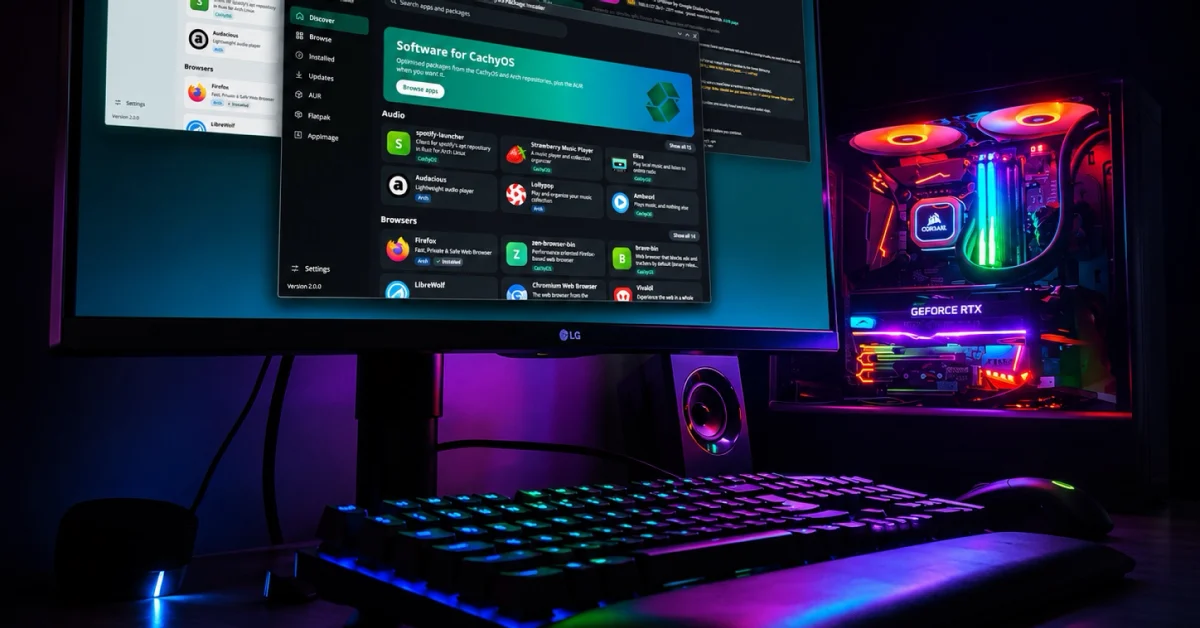
Another welcome change is CachyOS Package Installer 2.0.0, which receives a completely redesigned interface and broader application support.
Previously focused on packages from CachyOS and Arch repositories, the installer can now work with the Arch User Repository (AUR), Flatpak applications, and AppImages. These additional sources are optional, allowing users to enable only the ones they actually want.
The AUR integration deserves attention because it displays PKGBUILD files and installation scripts before building packages. It also performs static analysis to flag potentially suspicious patterns and shows changes between installed packages and available updates.
That does not guarantee an AUR package is safe, of course. However, encouraging users to review scripts before executing them is preferable to pretending community-maintained packages carry no risks.
AppImage support is similarly useful. Applications can be added from local files or GitHub projects, with the installer able to track newer GitHub releases. Existing AppImages managed through Shelly or Gear Lever can also be imported.
Under the hood, CachyOS ships Linux kernel 7.3.5, alongside NVIDIA 620.73.04 and Mesa 26.3.1. The release also includes prebuilt NVIDIA 580xx modules, improvements to Rust kernel builds, and updated GNOME Mutter packages containing tearing-related patches.
Graphics initialization is changing as well. A new component called cachyos-drm-awaiter waits for GPU drivers to load before starting the display manager, replacing the previous early kernel mode setting approach and NVIDIA-specific module loader.
The installer has received further changes, including revised handling of encrypted installations, updates to the shared installation backend, and optional Plymouth boot splash support. Hardware improvements include tablet mode support for the Framework Laptop 12 and additional Intel Wildcat Lake recognition.
Interestingly, CachyOS now provides an image for Windows Subsystem for Linux (WSL), too. That gives Windows users another way to experiment with the distribution without installing it directly on their hardware.
Existing CachyOS users should pay attention to the graphics initialization changes. The developers recommend updating the system and reinstalling hardware driver profiles using the following commands:
sudo pacman -Syu
sudo chwd -a -f
The November release gives CachyOS users several reasons to update, even if they have no interest in gaming. The recovery environment and package installer improvements are useful additions in their own right.
As for Easy Anti-Cheat, I am glad to see a Linux distribution working to address the compatibility problem. Unfortunately, technical support is only part of the equation. Until more game developers are willing to officially support Linux, gamers will continue encountering titles that refuse to run, regardless of how capable their hardware or operating system happens to be.
The latest CachyOS installation images are available through the project’s official download mirrors.
Support independent tech journalism
NERDS.xyz is independently owned and operated. If you enjoy my coverage of Linux, AI, hardware, cybersecurity, and tech culture, consider supporting the site on Ko-fi.
Support NERDS.xyz