
Sponsored Q&A
What if a child stuck in a hospital bed could still sit at their usual desk, look around the classroom, turn toward a friend, and follow the teacher without someone else controlling the camera?
That is one of the ideas behind kubi 2.0.
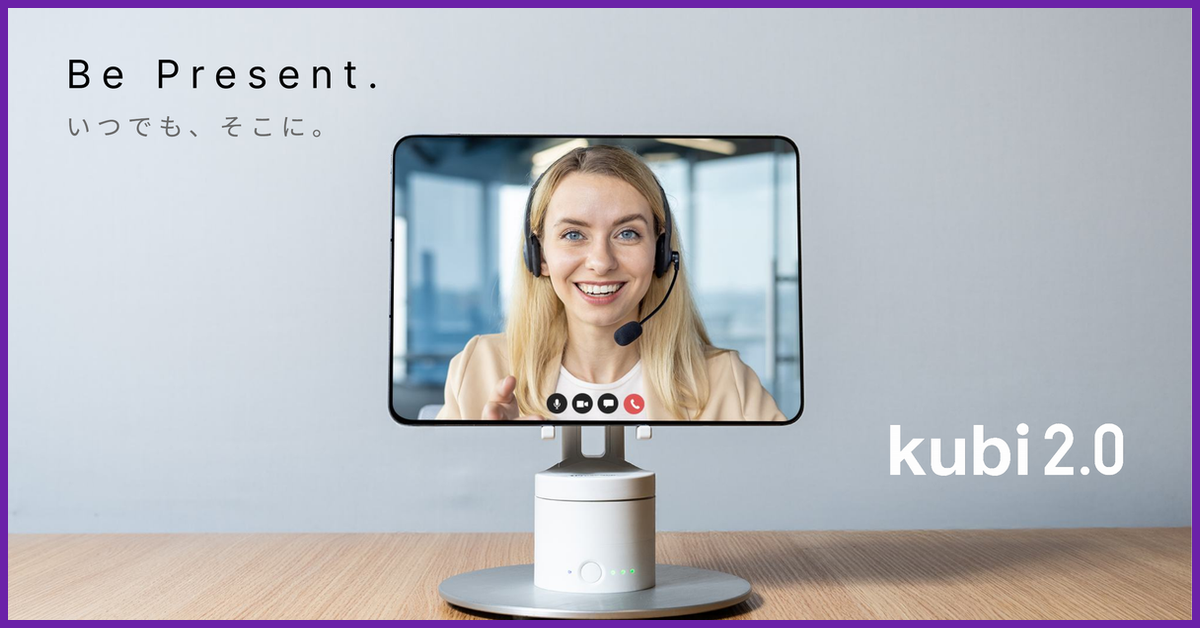
The desktop telepresence robot from iPresence holds an iPad or other compatible tablet and gives the person on the other end control over where it looks. Instead of being trapped behind the fixed camera of a laptop or tablet, a remote student can pan 300 degrees horizontally and tilt 55 degrees vertically. In a classroom, that could mean looking at the board one moment and turning toward a classmate the next.
iPresence has an especially interesting vision for hospitalized and homebound children. The company describes kubi 2.0 as effectively giving a remote student a seat in the classroom, with the child controlling the device from elsewhere. The Kickstarter campaign even includes a support program intended to put units into schools and hospitals.
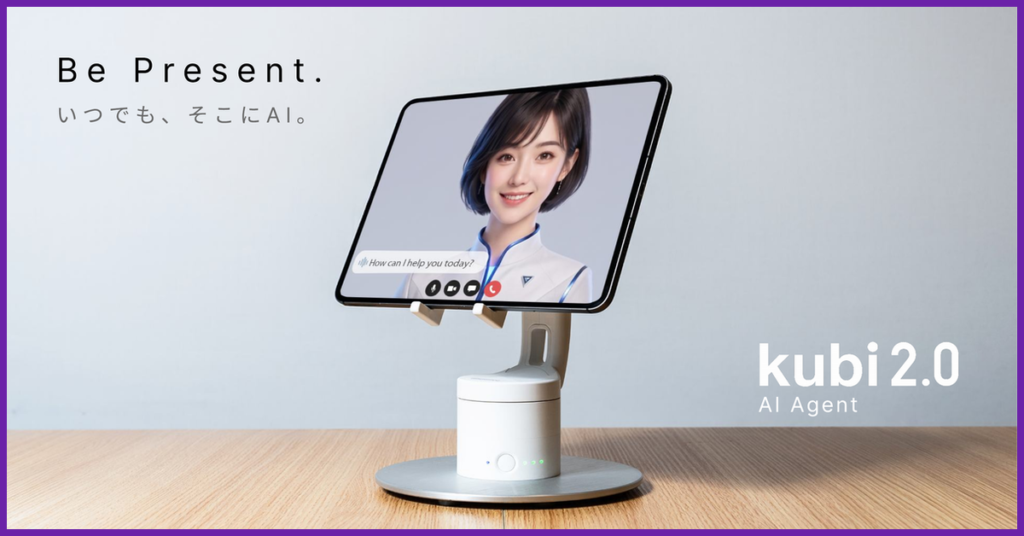
But education is only part of what iPresence wants to do with kubi 2.0. The company is also pitching the hardware as a potential physical body for AI agents, with applications ranging from reception desks to product showrooms. Its Kickstarter material describes potential AI roles including a personal secretary, family companion, reception agent, and field supervisor.
That AI story comes with an important caveat. kubi 2.0 itself does not have built-in AI. The hardware is essentially the movable body, while the tablet and its software provide the camera, microphone, intelligence, and AI capabilities. That separation also raises some interesting questions about privacy, security, and exactly what iPresence means when it calls kubi 2.0 ready for the Physical AI era.
So rather than simply repeating the Kickstarter pitch, NERDS.xyz went directly to iPresence. We asked the company 12 questions about kubi 2.0, including why it brought the product back, how it could help children attend school remotely, what happens when AI gets control of a physical viewpoint, how privacy works, and whether backers should feel confident that the hardware will actually ship.
For readers discovering kubi for the first time, what exactly is kubi 2.0, and what can someone do with it that they cannot accomplish with a laptop, tablet, or ordinary video call?
Simply put, kubi 2.0 is a desktop telepresence robot with a 2-axis drive mechanism (300° horizontal pan and 55° vertical tilt) designed to hold a tablet like an iPad.
We have all become accustomed to video calls via Zoom or Teams. But when a laptop or tablet sits statically on a desk, the camera’s field of view is completely frozen. The remote participant is reduced to a flat, passive tile on a grid, watching a fixed perspective and inevitably feeling isolated from the room’s energy.
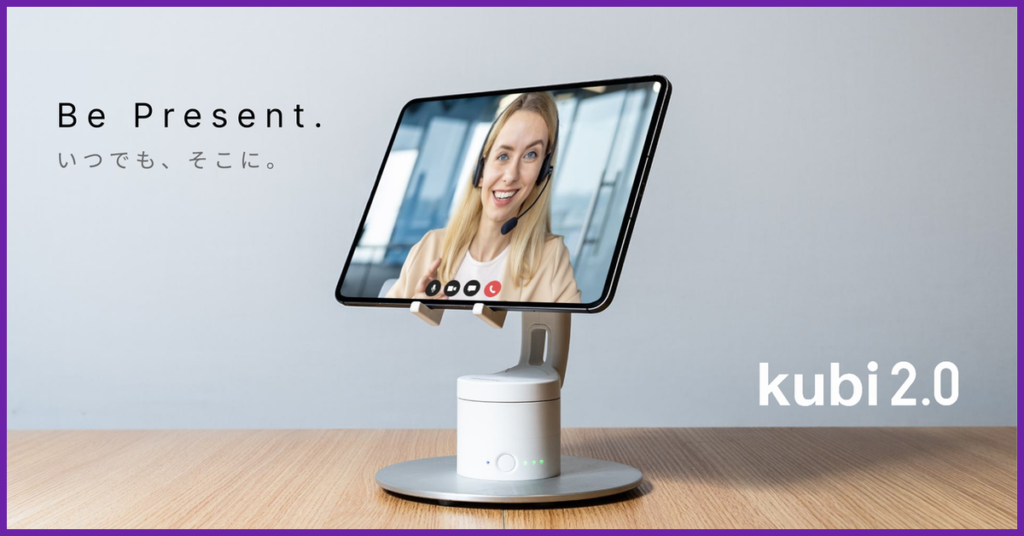
The breakthrough of kubi 2.0 lies in giving the remote participant the physical freedom to look around the space on their own terms. By using our intuitive control app, the remote user can physically turn and tilt the device to see who is speaking, check a whiteboard, or look a colleague in the eye. Because kubi’s movement mimics natural head movements, it projects non-verbal expressions like nodding or looking around. It transcends a mere video call; it establishes a genuine, warm, two-way physical presence.
The original kubi was discontinued in the United States. Why did iPresence decide that this was a product worth bringing back, and what did you change when developing kubi 2.0?
The original kubi, born in Silicon Valley, was discontinued because post-pandemic inflation in the U.S. made manufacturing costs unsustainable. Yet, with over 4,000 units sold globally, the demand never truly vanished. We continuously received heartfelt inquiries from schools, hospitals, and long-term care facilities asking, “Where can we get another kubi?”. Through persistent dialogue with the original developer, Xandex (formerly Revolve Robotics), we secured an agreement to have the business and manufacturing rights licensed to us,, and to collaborate on expanding into the U.S. and global markets. With iPresence independently leading the re-engineering and “Made in Japan” manufacturing, we are moving forward together to bring kubi 2.0 to the global stage.
Because kubi 2.0 is a specialized telepresence device rather than a mainstream consumer gadget, our absolute priority in redesigning it was maximizing simplicity and ensuring it seamlessly integrates into busy, real-world environments without any technical friction. Through intensive trial and error based on 10 years of direct customer feedback, we introduced five key structural upgrades:
- Whisper-Quiet Motors: We completely overhauled the internal gear structure to address motor noise. We successfully reduced the perceived operational noise by approximately half, creating a quiet, distraction-free environment for classrooms and hospital rooms.
- USB-C Compatibility: By transitioning to a modern USB-C power input, daily setup and charging have become incredibly straightforward.
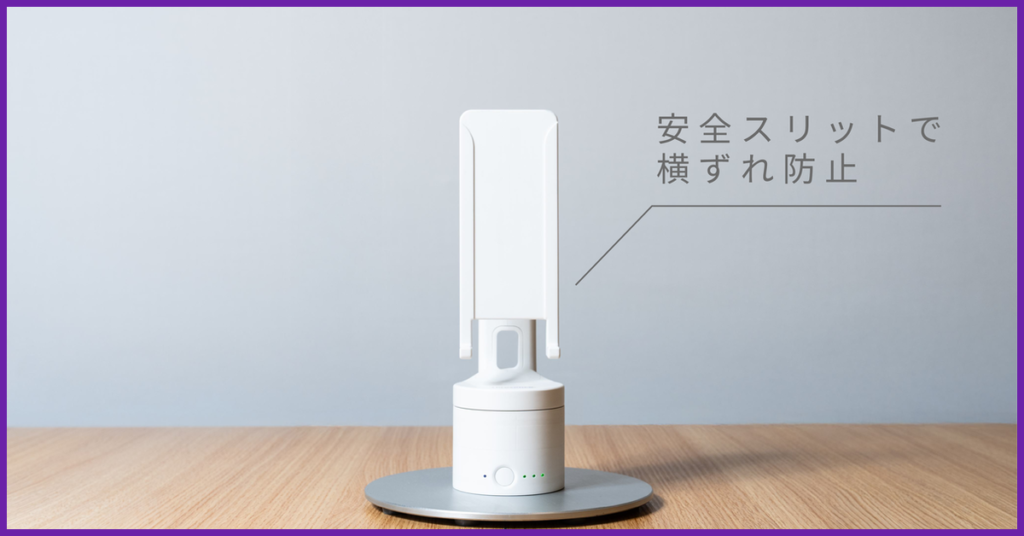
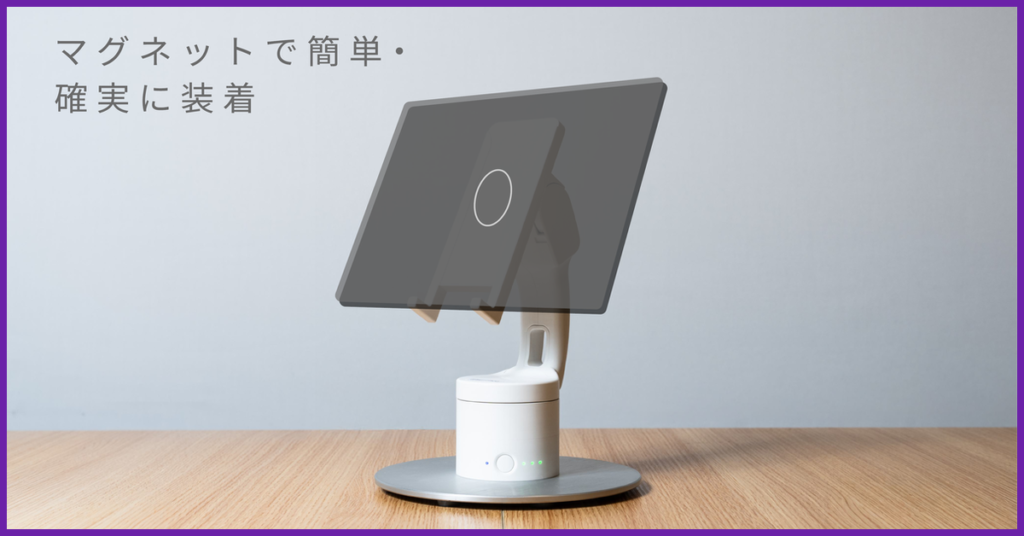
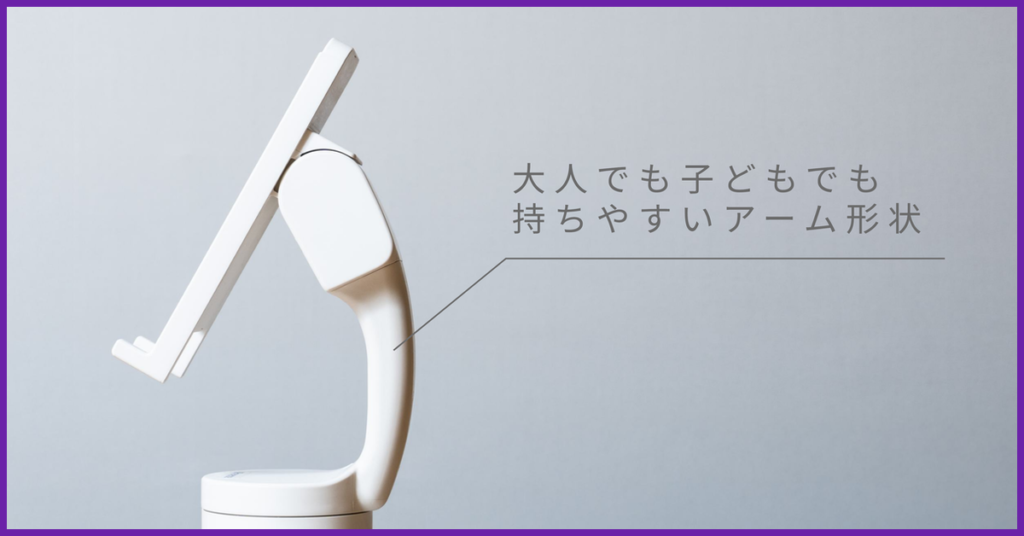
- Size-Free Magnetic Mounting: We eliminated the mechanical mounting arms in favor of a clean, one-touch magnetic interface. This allows users to instantly snap on any tablet, fully accommodating larger devices up to 13-inch iPads in landscape orientation without worrying about arm width.
- Accidental Power-Off Prevention: We changed the power button to a “long-press” activation, preventing the device from turning on or off accidentally when packed in a carrying bag.
- On-Site Usability Enhancements: We added a clear LED battery life indicator so users always know their remaining runtime. We also designed a smart opening on the magnetic plate, allowing the iPad to remain plugged in and charging while mounted on kubi.
iPresence has worked with telepresence technology in Japan for more than a decade. What have you learned from putting these devices into real schools, hospitals, and other environments that influenced kubi 2.0?
We have learned that on-site empathy must dictate technological design. In schools, hospitals, and care homes, the majority of the staff are not IT-savvy, and they are already carrying out exhausting, high-pressure work.
For a busy teacher or nurse, a telepresence device is an extra “+α” tool on top of their main duties. If a device requires complicated wiring, software configuration, or manual adjustments, it will simply gather dust.
This is why our one-touch magnetic mount and zero-configuration setup were so crucial. We designed kubi 2.0 so that anyone can place it on a desk, bring the iPad close until it clicks, and have it running instantly. By removing every ounce of physical and psychological friction for the on-site staff, we ensure the technology serves them rather than burdens them.
One of the most interesting uses for kubi is allowing hospitalized or homebound students to participate in school remotely. Can you describe what that experience actually looks like for a student during a normal school day?
In Japanese middle and high schools, classrooms typically operate on a “homeroom” system where students remain in a fixed room at their designated desks for the day. Therefore, we place kubi 2.0 directly on the hospitalized or homebound student’s actual desk, where it acts as their physical presence in the room.
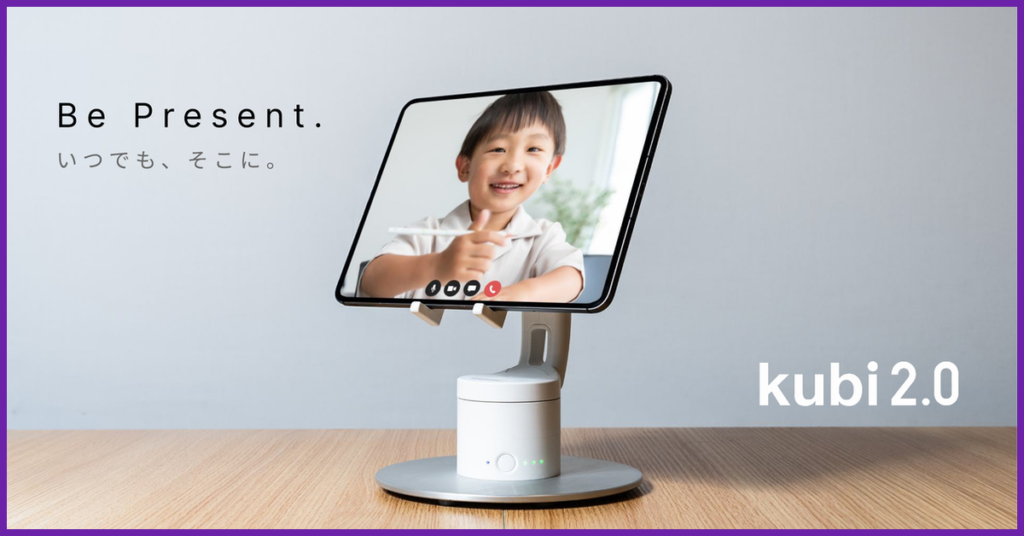
If the student is feeling well, they can log in and remain connected from the morning homeroom all the way to dismissal. During lessons, they can actively direct kubi’s gaze to look at the blackboard, follow the teacher, or glance at classmates. During recess, they can turn to their seat neighbors and join in on casual jokes and chatter.
And when it’s time for moving classes—like science labs or art rooms— Classmates (often a designated “moving crew” chosen by the students themselves) will pick up the kubi and carry it gently to the next room.
Because of this physical interaction, the student is no longer a passive bystander who simply watches a stream. Their friends treat the kubi as the student’s physical body. Sharing these ordinary, precious school day moments with classmates helps them maintain their social bonds and psychological belonging, making the transition back to physical school incredibly smooth.
Why does the ability to physically look around matter? Does giving the remote student control over where kubi looks change the social experience compared with having a teacher simply point a webcam at the classroom?
We’ve all experienced the awkwardness of hybrid meetings where remote colleagues are displayed on a flat TV screen on the wall. They often find it incredibly difficult to jump into the conversation because they lack a physical footprint in the room.
kubi 2.0 changes this dynamic because it is not just a screen—it is a physical entity with a “face” that moves with autonomous intent.
When the remote student pans the camera, the classmates physically see the tablet turn. They instantly perceive, “Oh, she is looking at me now,” or “She is looking at the blackboard.” This visual-physical feedback loop creates a powerful, positive illusion of physical presence. Classmates/colleagues naturally treat the device as a living person, walking up to it to make eye contact, wave, and converse. Giving control to the remote student shifts them from a detached viewer to an active, embodied participant in the physical environment.
The Kickstarter includes a program through which individuals and companies can pledge a kubi 2.0 for donation while schools can apply to receive one. How will that process work, and how will iPresence decide which schools receive donated units?
Our “kubi Support Program” is designed to rally a community of supporters to ensure no child is left behind due to illness or distance.
- How the Program Works: Backers can participate in the donation pool through several reward tiers on Kickstarter. For instance, our “Care Supporter (¥15,000)” and “Care Sponsor (¥45,000)” pledges pool smaller contributions together to fund full kubi 2.0 units for schools and hospitals. We also have direct donation tiers like “Give a Kubi (¥165,000),” “Get One, Give One (¥330,000)” which lets you keep one and donate one, and “Corporate Partner” packages starting at ¥500,000.
- How Recipients Are Decided: Backers have the right to nominate a specific school or hospital of their choice (such as their alma mater or a local pediatric ward) during the pledge process, and iPresence will handle the outreach and coordination to deliver it directly. If a backer leaves the choice to us, iPresence will carefully evaluate and select the institution where the need is most urgent and where kubi will have the most immediate educational and therapeutic impact.
What happens after a donated kubi reaches a school? Are there ongoing subscription fees, software costs, training requirements, or other expenses that the school needs to cover?
We wanted to ensure that receiving a donated kubi would never become a financial burden for a school or hospital.
There are zero setup fees or specialized installation requirements; if the school has Wi-Fi, they can use it immediately. In terms of software fees, we offer choices:
Completely Free (Free): Our browser-based basic app, “Robot Stand Connect,” is entirely free and requires no installation. It allows remote users to control the physical panning and tilting of kubi while running standard video call software like Teams or Zoom in the foreground.
Paid Subscription (Optional): For schools wanting our dedicated “Telepotalk” platform (which includes interactive stamps and specialized remote education features), a flat-rate license is available. However, this remains strictly optional.
The only elements the recipient school or hospital needs to provide are an internet connection (Wi-Fi) and a compatible iPad.
Privacy is an obvious concern when putting a remotely controlled camera and microphone inside a classroom, particularly around children. What safeguards have you built into kubi 2.0, and who ultimately controls when its camera and microphone can be accessed?
Privacy is paramount, especially when dealing with children. We designed kubi 2.0 with three layers of security:
Unambiguous Visual Transparency: kubi 2.0 features a prominent RGB power button and LED status indicators. The moment anyone connects remotely, the lights change, making it immediately obvious to everyone in the classroom that the device is active and online.
Local Sovereignty (The Classroom Controls Access): The most crucial safeguard is that the classroom (the local side) holds the ultimate veto power over remote access. At any moment, the teacher or any student in the room can physically turn off the device, disconnect the tablet, or revoke the remote control connection.
App-Level Compliance: When using standard video platforms (Zoom, Teams, Webex) through “Robot Stand Connect,” the transmission of video and audio is fully secured under the enterprise-grade GDPR and privacy compliance standards of those respective software suites.
You describe kubi 2.0 not only as a telepresence device but also as a Physical AI device that can allow AI agents to interact with people in a physical environment. What does that mean in practical terms today rather than as a future concept?
“Physical AI” sounds futuristic, but with kubi 2.0, it is a practical, revenue-generating commercial tool that businesses can deploy today. We are currently running two major real-world use cases:
Physical AI Receptionist: Placed at an office entryway, kubi 2.0 uses real-time face tracking to recognize when a visitor approaches, physically turns its head to look at them, and greets them. The connected conversational AI agent can answer questions, communicate in multiple languages, and physically guide them through receptionist tasks.
Showroom & Exhibition Autonomous Guide: Placed next to a product display, the AI-driven kubi turns to face approaching visitors, dynamically explaining product features and answering technical questions on the spot. It actively compiles interaction logs and visitor questions, feeding valuable customer data back to the marketing team.
When you give a conversational AI even a tiny physical body—the simple ability to turn, nod, and make eye contact—the human psychological response changes completely. We feel an authentic conversational connection, making the interaction far more engaging and natural than talking to a flat screen.
How much AI functionality will kubi 2.0 actually have at launch, and how much of the Physical AI vision depends on software or services that are still being developed?
The direct answer is: the kubi 2.0 hardware itself has zero built-in AI functionality—and that is entirely by design.
Kubi 2.0 is fundamentally a robotic tablet stand driven by Bluetooth pan-tilt commands; it serves purely as the “physical body.” All intelligence resides entirely within the application running on the mounted tablet.
At launch, what we deliver is the hardware unit alongside an open motion-control SDK for panning and tilting. This SDK allows AI developers around the world—who already operate web-based AI avatar agents or conversational tools—to easily build their own Physical AI avatar agents.
By integrating our SDK, developers can combine key capabilities into their existing agents, such as:
- Natural Conversational Flow: Voice Recognition → LLM Processing → Speech Synthesis
- Proactive Engagement: Triggering greetings or behaviors when the camera detects a person
- Expressive Motion: Synchronizing avatar facial expressions with physical head movements
By combining these elements, a screen-bound presence gains a physical body capable of “seeing and listening → thinking → speaking and displaying.” For developers, this opens up massive opportunities for expression and extension; our role is simply to provide and open up that physical body.
We are also developing our own conversational AI agent application designed for roles like information counters and office concierges. Whether this app will be available simultaneously on launch day is currently undecided, and we will share updates as soon as it is ready. Ultimately, the “body liberation” aspect of our Physical AI vision is 100% complete at launch, while the “intelligence” layer will continuously evolve through both our in-house software and the broader developer ecosystem.
Giving an AI agent a camera and the ability to physically move its viewpoint introduces some interesting security and privacy questions. How are you thinking about permissions and preventing an AI agent from seeing or doing something its owner did not intend?
Unintended AI agent behavior—or “rogue actions”—will undoubtedly be one of the greatest challenges facing Physical AI as a industry. With that understanding, we approach permission management and safety for kubi 2.0 across three distinct layers:
Structural Hardware Constraints: The kubi hardware itself contains no camera, no microphone, and no onboard AI processing. It simply receives pan-tilt commands via Bluetooth from a paired tablet. Because kubi cannot move across the room or physically manipulate objects, what it can physically do is strictly limited to changing its gaze direction. What it sees, what it hears, and how it processes data are governed entirely by the tablet application and the underlying OS permission model.
On-Site Physical Layout & Operational Rules: Because kubi is stationary, its physical placement serves as the most infallible permission control. Simple, practical measures—such as positioning kubi so panning won’t expose confidential screens, using physical partitions or privacy walls where necessary, and establishing rules against conducting sensitive conversations directly in front of the device—are essential. Safety requires mindfulness from both humans and robots, and we believe prioritizing these physical and operational safeguards is the most dependable approach today.
Data Governance & Application Responsibility: Because our SDK is open to developers, how video, audio, and interaction logs are collected, stored, and managed falls under the policy and responsibility of each individual application provider.
Looking ahead to the next stage of Physical AI safety, we believe mutual monitoring among robots and IoT devices—such as cross-device state monitoring and AI-driven anomaly detection via video and audio—will become necessary. The future of safe physical AI relies on never leaving a single machine’s behavior solely to that individual unit.
In summary, until software-side permission governance fully matures, the most reliable safeguards for embodied AI remain physical layout and operational discipline, followed by cross-device mutual monitoring. That is our definitive answer today.
Crowdfunding backers have become understandably cautious about hardware campaigns. How far along is kubi 2.0 today, and what can you tell potential backers about manufacturing readiness, production risks, and your ability to deliver the finished hardware?
Their caution is completely justified; hardware is incredibly hard. But iPresence is not a first-time hardware creator.
We previously developed, manufactured, and successfully shipped our communication robot “telepii” to backers via crowdfunding, so our team knows exactly how to navigate the transition from prototype to mass production.
For kubi 2.0, we have already invested heavily in mold design, physical stress testing, and regulatory certifications. Our mass-production prototype (the final physical design) is 100% complete and was proudly showcased to thousands of visitors at the Osaka-Kansai Expo.
Furthermore, we are mitigating manufacturing risks by partnering with the exact same trusted manufacturing suppliers who built and protected the quality of the original kubi for a decade. We aren’t starting a supply chain from scratch; we are building on a proven 10-year manufacturing relationship.
We have established clear risk controls:
Shipping & Timelines: We are targeting a launch in Autumn 2026 (October 15 target) with delivery scheduled for November 2026. We have built conservative buffer times into our logistics pipeline to handle any customs or global shipping delays.
OS & Software Compatibility: Our in-house engineering team actively maintains and supports our software suite (Robot Stand Connect, Telepotalk, AvatarLink), guaranteeing that future iOS/iPadOS updates will not disrupt your kubi’s functionality.
Financial Stability: We have priced our reward tiers conservatively to fully absorb global currency fluctuations.
Furthermore, while iPresence leads the manufacturing and quality control in Japan, our strength lies in our alignment with Xandex—who developed the original kubi—on business rights and global/U.S. market expansion targets.
We are fully prepared, the manufacturing molds are ready, and we are incredibly excited to bring the warmth of physical presence to backer tables around the world.
Support independent tech journalism
NERDS.xyz is independently owned and operated. If you enjoy my coverage of Linux, AI, hardware, cybersecurity, and tech culture, consider supporting the site on Ko-fi.
Support NERDS.xyz