When a Windows PC stops working, the usual recovery options can be slow and inconvenient. IT may need to reimage the machine, issue a replacement laptop, or attempt repairs while the employee sits idle.
Citrix believes the affected PC should become its own recovery device. The company has introduced a dual-boot capability for Citrix UniconOS that installs a separate Linux-based environment alongside Windows. If Windows becomes unavailable, the user can restart the computer, select UniconOS, and reconnect to company applications.
The feature is available now as part of Citrix UniconOS Release 7 2607. UniconOS was previously known as eLux, a lightweight Linux operating system built for thin clients, virtual desktops, and managed enterprise endpoints.
Citrix installs UniconOS on a separate partition of the PC’s physical drive. According to the company, the environment remains isolated from the Windows filesystem and uses Secure Boot protections covering the shim, bootloader, kernel, and initial RAM filesystem.
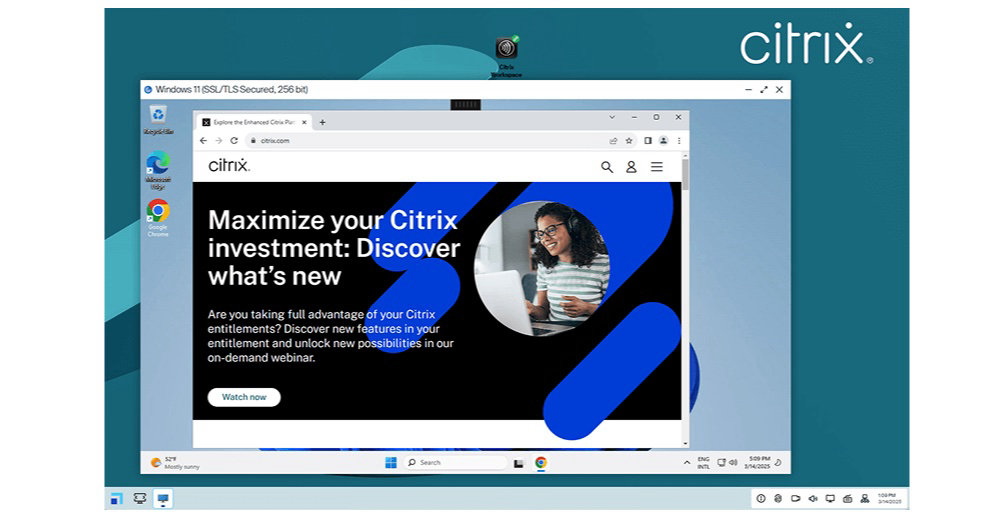
That separation matters when ransomware encrypts Windows or a faulty update leaves the operating system trapped in a boot loop. Instead of repairing Windows immediately, an employee can boot into UniconOS and use Citrix DaaS to access virtual applications and desktops. Citrix SecurAccess with Chrome Enterprise provides access to internal web applications under the organization’s existing security policies.
In other words, UniconOS does not actually fix the damaged Windows installation. It gives employees another route to their applications while the IT department investigates or repairs Windows.
“For organizations in healthcare, financial services, retail, public sector and other industries where downtime has material business impact, endpoint resilience has become a boardroom issue,” said Philipp Benkler, vice president and general manager of Unicon at Citrix. “Citrix UniconOS dual boot is designed to help customers keep work moving when Windows is unavailable, giving users a faster path back to the applications they need through the Citrix platform. By turning existing Windows endpoints into recovery-ready devices, Citrix helps organizations strengthen continuity, reduce operational disruption and maintain productivity when it matters most.”
Citrix says businesses can install the recovery environment remotely on running Windows machines through endpoint-management products such as Microsoft Intune and Microsoft Configuration Manager. The installer checks the PC’s UEFI configuration, Secure Boot status, disk layout, available space, and Trusted Platform Module before modifying anything.
When the requirements are satisfied, the installer shrinks the Windows volume, creates a new partition, copies UniconOS onto it, and registers the necessary boot entries. Windows remains the default operating system during ordinary use, although administrators can configure boot delays and fallback behavior.
After its first startup, UniconOS automatically enrolls in Citrix UniconOS Management, previously called Scout. Administrators can then monitor the recovery environment, distribute signed updates, control which operating system starts by default, and configure the applications available during an outage.
The approach could prove useful following a widespread ransomware attack or another defective Windows update resembling the CrowdStrike incident of 2024. Recovery would happen independently on every compatible endpoint instead of requiring IT employees to physically handle thousands of computers.
There are some important limitations, however. UniconOS relies on the computer’s physical storage and firmware, so it cannot rescue someone from a failed drive or dead laptop. Employees also need network connectivity, and the necessary Citrix infrastructure must remain operational.
The feature will make the most sense for organizations already using Citrix DaaS and related services. Businesses without that infrastructure would need to adopt much more than a secondary operating system to obtain the complete recovery experience described by Citrix.
Still, putting a hardened Linux environment directly on Windows PCs is an interesting approach to business continuity. It does not make Windows more reliable, but it could keep an outage from leaving every affected employee with an expensive paperweight.
Support independent tech journalism
NERDS.xyz is independently owned and operated. If you enjoy my coverage of Linux, AI, hardware, cybersecurity, and tech culture, consider supporting the site on Ko-fi.
Support NERDS.xyz