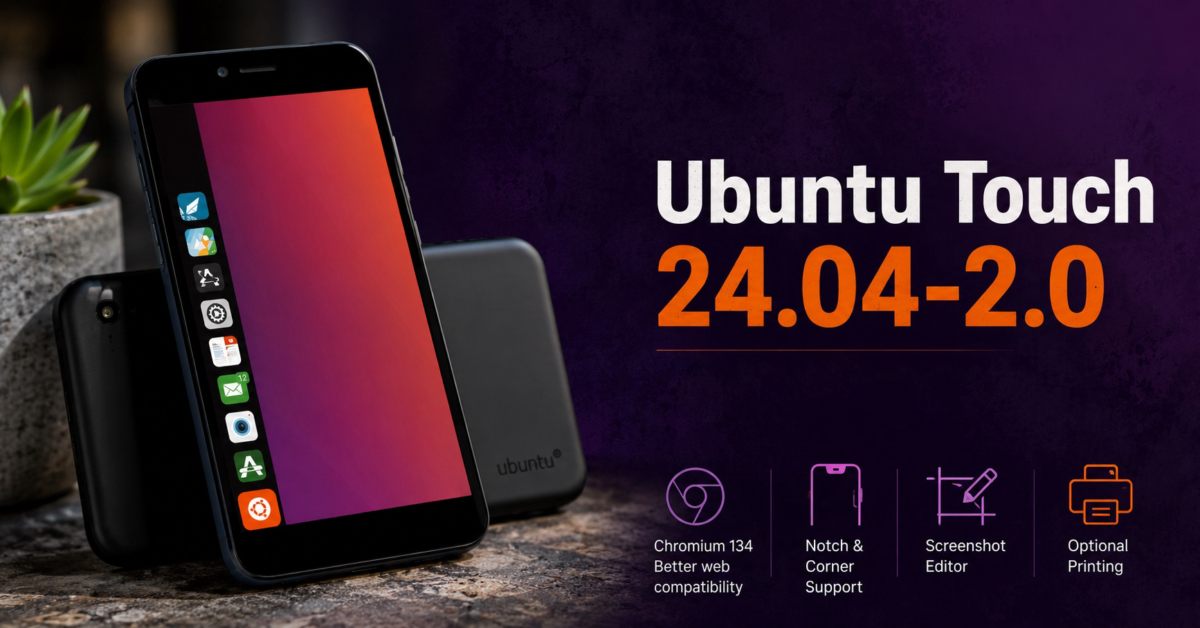
UBports has released Ubuntu Touch 24.04-2.0, a feature update that delivers one of the biggest improvements the project has seen in years. The headline feature is a major upgrade to Morph Browser, but the release also adds better support for modern smartphone displays, a built-in screenshot editor, optional printing, and several smaller improvements.
The browser upgrade is easily the biggest story. Ubuntu Touch 24.04-2.0 moves Morph Browser from Chromium 87 to Chromium 134, which is far more than a routine version bump.
Chromium 87 dates back to late 2020, meaning Ubuntu Touch users have been browsing today’s web with an engine that predates many current standards and online services. It’s pretty crazy if you think about it. Chromium 134 is not the latest release, but it should greatly improve compatibility with modern websites and web applications.
Banking sites, productivity tools, shopping services, and other pages that have become difficult to use should now behave more like users expect. That could make a larger practical difference than almost any flashy interface change.
UBports says the work also creates a better foundation for future Chromium upgrades. That matters because browser compatibility can make or break a mobile operating system.
A phone can offer strong privacy protections and an interesting interface, but those advantages matter less when everyday websites refuse to work properly. Once a browser engine falls several years behind, catching up also becomes much harder than keeping pace through smaller updates.
Ubuntu Touch 24.04-2.0 also includes an installer for Google’s Widevine DRM technology. The tool extracts Widevine from another legal distribution that contains it, such as a ChromeOS recovery image, and then configures Morph Browser to use it.
The project makes clear that Google does not endorse the installer and that neither Ubuntu Touch nor Morph Browser is a licensed Widevine implementation. UBports also warns that extracting Widevine from another source may fall into a legal gray area.
Even after installation, compatibility is not guaranteed. Some streaming services may continue blocking playback based on the browser itself, and Netflix is specifically mentioned as a service that could impose additional restrictions.
Changing the browser’s user agent may help in some cases, but users should not expect every streaming service to work perfectly. This is more of a practical workaround for enthusiasts than a polished streaming solution.
Outside the browser, Ubuntu Touch now handles display notches and rounded screen corners more intelligently. Instead of placing interface elements underneath camera cutouts, supported devices can position content around those areas.
The feature requires configuration for each device. UBports has already enabled it on the Fairphone 4, Fairphone 5, all Volla devices, and several community-supported phones.
It does not yet work in landscape orientation, and some networking indicators may still be pushed into awkward positions. Even with those limitations, proper notch avoidance helps Ubuntu Touch look more at home on modern hardware.
The release also adds a screenshot editor to the Lomiri shell. After taking a screenshot, users can crop it, rotate it, adjust colors, save it, or share it without opening a separate application.
Users who prefer the old behavior can disable the editor under System Settings and Gestures. That is a sensible option, since not everyone wants an editor to appear after every screenshot.
Printing support also arrives as an optional component. Once installed through System Settings, users can print supported documents directly from an Ubuntu Touch phone or tablet.
Automatic discovery of Wi-Fi printers requires network service discovery to be enabled under the advanced Wi-Fi settings. UBports acknowledges that the setup could be simpler, but direct printing still makes the platform more practical.
The update includes several smaller improvements as well. Legacy X11 applications from OpenStore receive better support, wired networking through docks works more reliably, and mobile data connectivity has been improved.
User data encryption is also leaving experimental status on newer devices that support fscrypt v2. Ubuntu Touch gains Georgian keyboard support, roughly 2,000 additional emoji, selectable emoji variants, bug fixes, and security updates.
Not every device that currently supports Ubuntu Touch will receive Ubuntu Touch 24.04-2.0 right away. According to UBports, the new release requires additional system storage, preventing an immediate rollout across the entire hardware lineup.
Ubuntu Touch 24.04-2.0 is currently available for the following devices:
- Asus Zenfone Max Pro M1
- F(x)tec Pro1X
- Fairphone 4
- Fairphone 5
- JingPad A1
- Lenovo Tab M10 HD 2nd Gen Wi-Fi
- Lenovo Tab M10 HD 2nd Gen LTE
- OnePlus Nord N10 5G
- OnePlus Nord N100
- Rabbit R1
- Sony Xperia X
- Volla Phone
- Volla Phone X
- Volla Phone 22
- Volla Phone X23
- Volla Phone Quintus
- Volla Phone Plinius
- Xiaomi Poco X3
- Xiaomi Poco X3 NFC
- Xiaomi Redmi 9
- Xiaomi Redmi 9 Prime
- Xiaomi Redmi Note 9
- Zinwa Q25
UBports says it is continuing to expand support. More devices could become eligible through later Ubuntu Touch 24.04-2.x updates.
There are still some rough edges. Hardware video decoding in Morph Browser is currently unavailable, meaning video playback relies on software decoding instead.
That can increase processor usage and drain the battery more quickly. The browser’s new tab page also does not display bookmarked sites correctly.
Landscape notch avoidance has not been implemented, and the on-screen keyboard remains broken for X11 applications installed through Libertine. The Volla Tablet will not receive the update yet because UBports continues investigating a mouse-position issue involving its keyboard cover and built-in display.
These limitations show that Ubuntu Touch remains an active community project rather than a polished commercial platform. That is not necessarily a criticism, but buyers should understand what they are getting into.
Ubuntu Touch occupies an interesting place in the Linux ecosystem. Desktop Linux has matured into a capable operating system for many users, but Linux on smartphones has never reached the same level of adoption.
Supporting mobile hardware is incredibly difficult. Every phone brings different cameras, cellular modems, sensors, graphics hardware, bootloaders, power-management systems, and vendor-specific quirks.
Keeping a growing collection of devices working can become a separate engineering project for each model. UBports does not have anything close to the resources available to Google, Samsung, or Apple, which makes continued progress all the more notable.
Ubuntu Touch is undeniably cool and has a ton of nerd cred. It gives developers, privacy advocates, open-source enthusiasts, and people who enjoy unusual hardware something genuinely different.
Personally, I love that Ubuntu Touch still exists. The smartphone market is healthier because projects like this refuse to accept that Android and iOS are the only options, even if Android remains the platform I would recommend to almost everyone.
For most people, Android will still provide the better overall smartphone experience. Google’s platform offers a mature application ecosystem, stronger hardware support, better compatibility with banking and streaming services, and fewer compromises in daily use.
Anyone whose smartphone use revolves around banking apps, mobile payments, rideshare services, streaming platforms, workplace tools, and social media will probably be happier with Android. Those users are likely to encounter too many missing apps, compatibility problems, or awkward workarounds on Ubuntu Touch.
People who value open-source software, privacy, freedom, and experimentation may still find plenty to appreciate. Carrying a real Linux-powered phone has undeniable appeal, especially for users who enjoy tinkering more than they value convenience.
Ubuntu Touch 24.04-2.0 will not change the smartphone market overnight, and it probably is not trying to. What it does show is that the project continues moving forward, while the Chromium 134 upgrade removes one of the biggest obstacles to using Ubuntu Touch every day.
Support independent tech journalism
NERDS.xyz is independently owned and operated. If you enjoy my coverage of Linux, AI, hardware, cybersecurity, and tech culture, consider supporting the site on Ko-fi.
Support NERDS.xyz