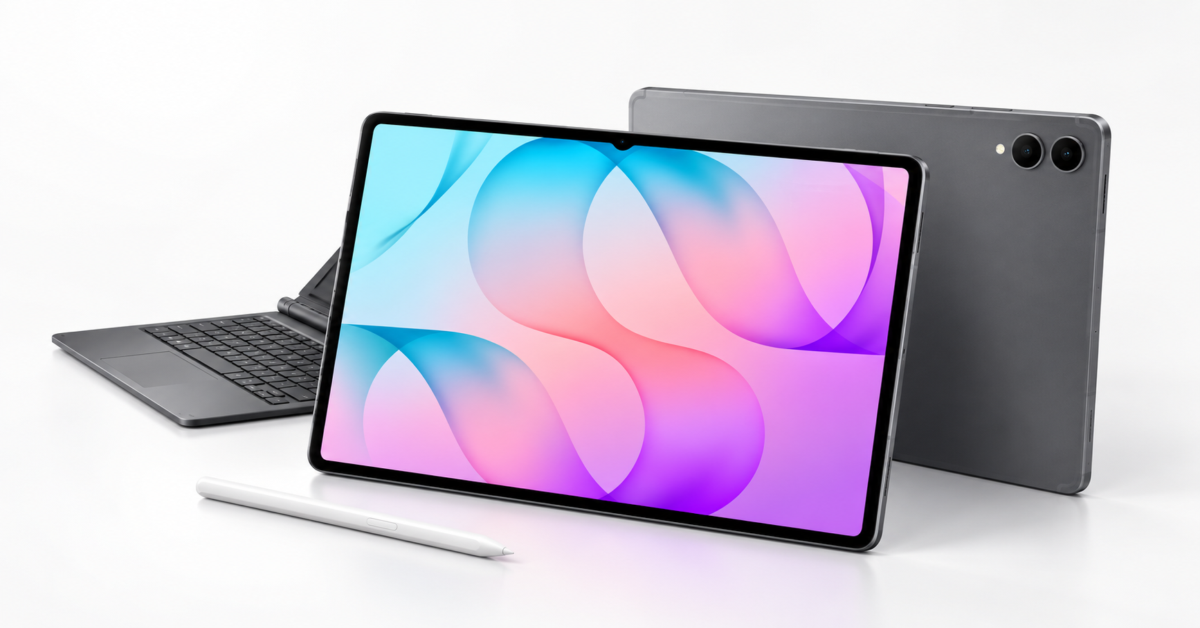
I love seeing quality Android tablets still being made. Not everyone wants an iPad, and Android users deserve hardware that takes their needs seriously. Samsung’s new Galaxy Tab S12 Ultra and Galaxy Tab S12+ look promising on paper, particularly for people who want a large screen for drawing, editing, and getting work done.
The most interesting addition here might be Adobe Photoshop rather than another collection of Galaxy AI features. Samsung says the tablet version comes preloaded with an interface designed for larger screens, S Pen support, and Firefly tools such as Generative Fill. Buyers receive four months of the Photoshop premium mobile plan with 100 monthly generative credits, while Adobe’s AI Assistant is available in beta.
There is an app store restriction worth noting, however. Adobe Photoshop for Tablet will launch exclusively through the Galaxy Store for at least six months starting October 7. This is not an immediate release across Android app stores, and the included subscription does not provide permanent access to the paid features.
The Ultra offers a 14.6-inch Dynamic AMOLED 2X display with a 2960 x 1848 resolution, while the S12+ has a 12.6-inch panel at 2800 x 1752. Both support a 120Hz refresh rate and peak brightness of 1,600 nits. Samsung separately lists 1,000 nits for outdoor High Brightness Mode, so buyers should not interpret the higher figure as sustained outdoor brightness.
Both models use the 3nm MediaTek Dimensity 9500 processor. Compared with the S11 Ultra, Samsung claims the S12 Ultra delivers up to 19 percent faster CPU performance, 17 percent improved GPU performance, and 61 percent faster neural processing. A redesigned 3D vapor chamber aims to manage heat during demanding workloads, although independent testing will need to show how well performance holds up.
The Ultra measures 5.1mm thick and weighs 692 grams in its Wi-Fi configuration, compared with 5.3mm and 553 grams for the S12+. Both start with 12GB of memory and offer 256GB or 512GB of storage, while the Ultra adds a 16GB configuration with 1TB. MicroSD support allows up to 2TB of additional storage, but wireless connectivity differs: the Ultra gets Wi-Fi 7, while the S12+ settles for Wi-Fi 6E.
Battery capacity reaches 11,600mAh on the Ultra and 10,600mAh on the S12+. Samsung advertises up to 23 hours and 21 hours of runtime, respectively, but those estimates come from local 720p video playback testing, not a day of editing images and juggling apps. Both support 45W wired charging, with a claimed full recharge of about 95 minutes, although the power adapter costs extra.
Samsung includes an S Pen with either tablet, which I appreciate more than having another accessory added to the shopping list. The pen does not support Bluetooth features, but both it and the tablets carry IP68 water and dust resistance ratings. Keyboard accessories cost extra, including an aluminum Pro Keyboard with a dedicated AI key and the Book Cover Keyboard Slim.
Android 17 and One UI 9 provide the software foundation, with Multi Window supporting up to three apps on screen. Note Assist can summarize text in Samsung Notes, while Gemini Notebook can turn supplied materials into summaries, podcasts, and quizzes. Samsung Browser also gains tools that use open pages and browsing history to help retrieve and summarize information, something I would approach cautiously when working with sensitive material.
The software offers extend beyond Photoshop, with six months of Notability, one year of Goodnotes, and a 66 percent discount on LumaFusion. Buyers also receive six months of Google AI Pro, which renews at $19.99 per month unless canceled. Samsung values the combined benefits at approximately $600, but trials and subscription discounts are only useful when they cover software you actually need.
The Galaxy Tab S12 Ultra and S12+ arrive October 7 in Gray and Silver, with availability varying by market. Samsung promises up to seven operating system upgrades, along with security updates. The hardware gives these tablets plenty of potential, but the real test is whether the Android apps can handle your work without sending you back to a computer.
Support independent tech journalism
NERDS.xyz is independently owned and operated. If you enjoy my coverage of Linux, AI, hardware, cybersecurity, and tech culture, consider supporting the site on Ko-fi.
Support NERDS.xyz